
qwen-image-edit - free open-sourceinstruction-based image editor
Give it an image and a clear instruction, and it edits what you specify while preserving identity and details: outfit/hairstyle changes, object add/remove, material swaps, text edits, lighting/viewpoint changes, and more.
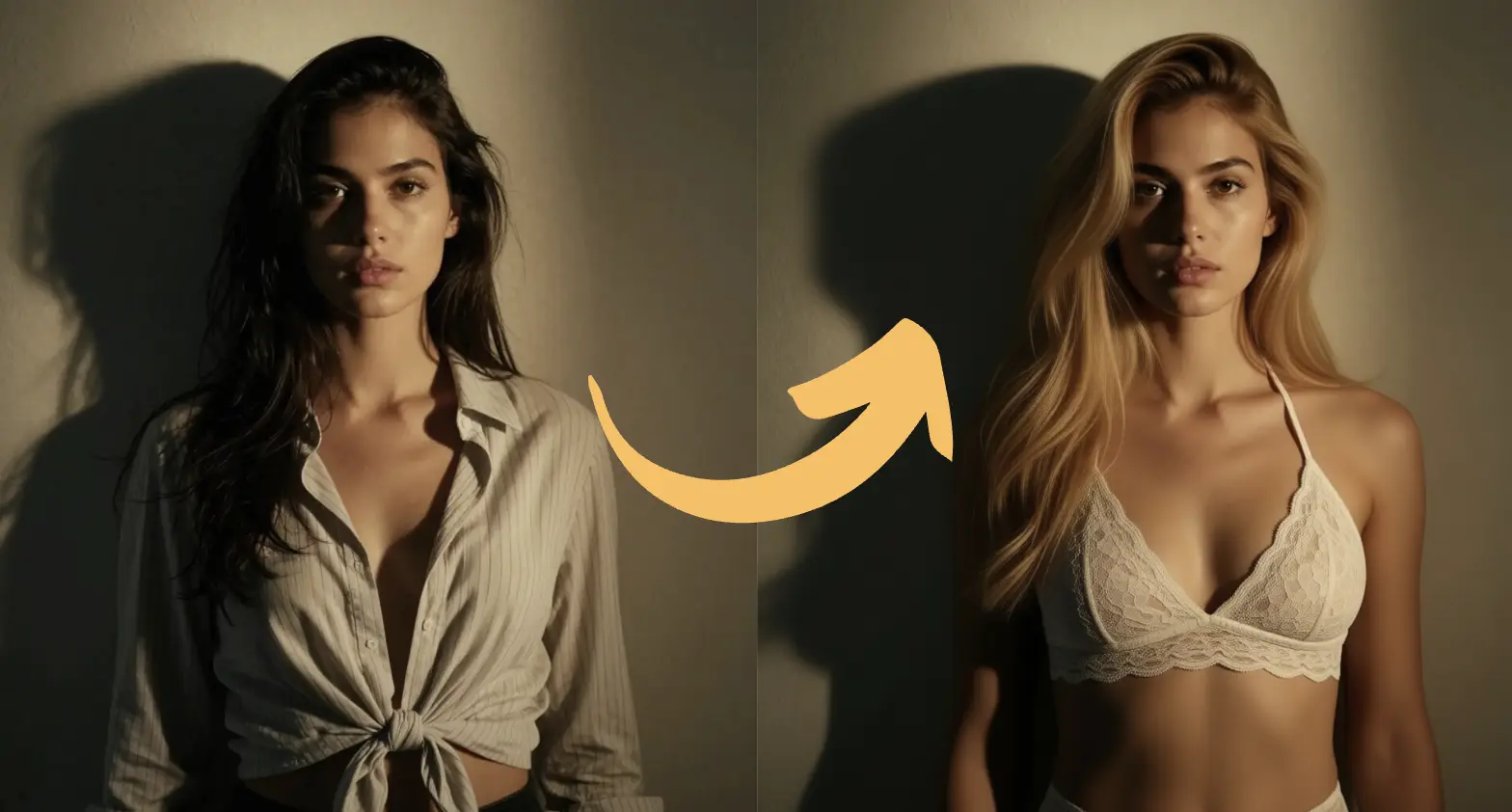
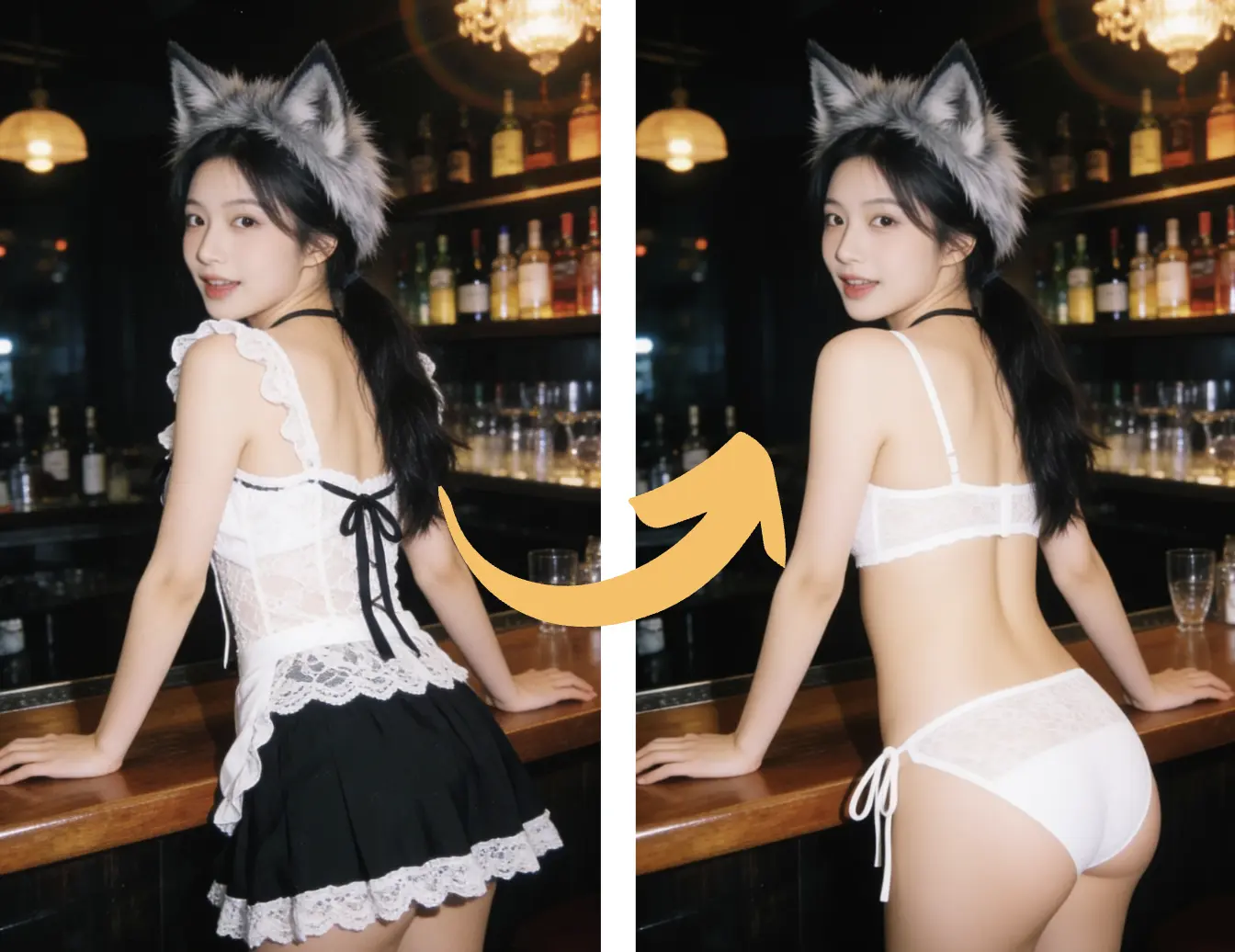
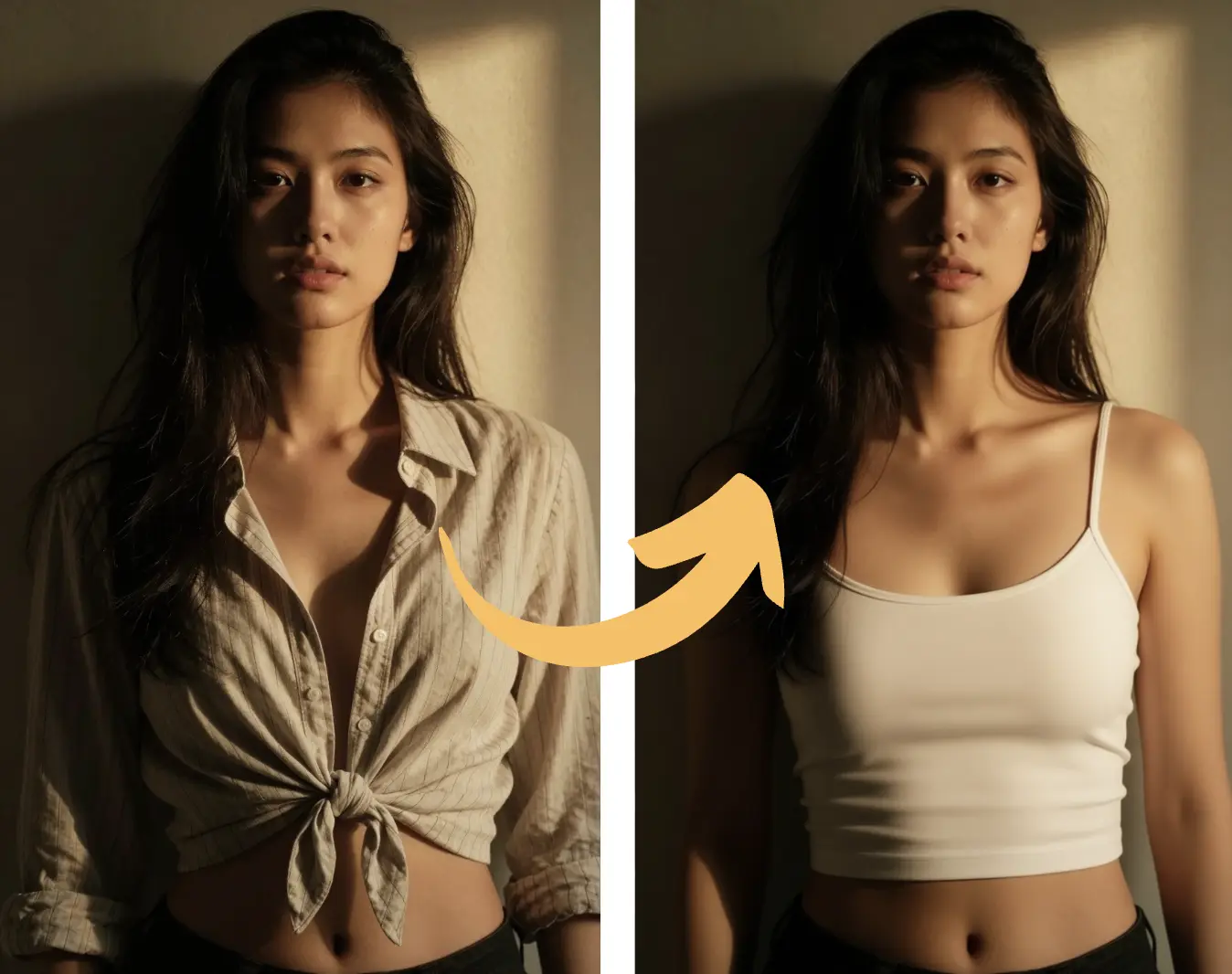
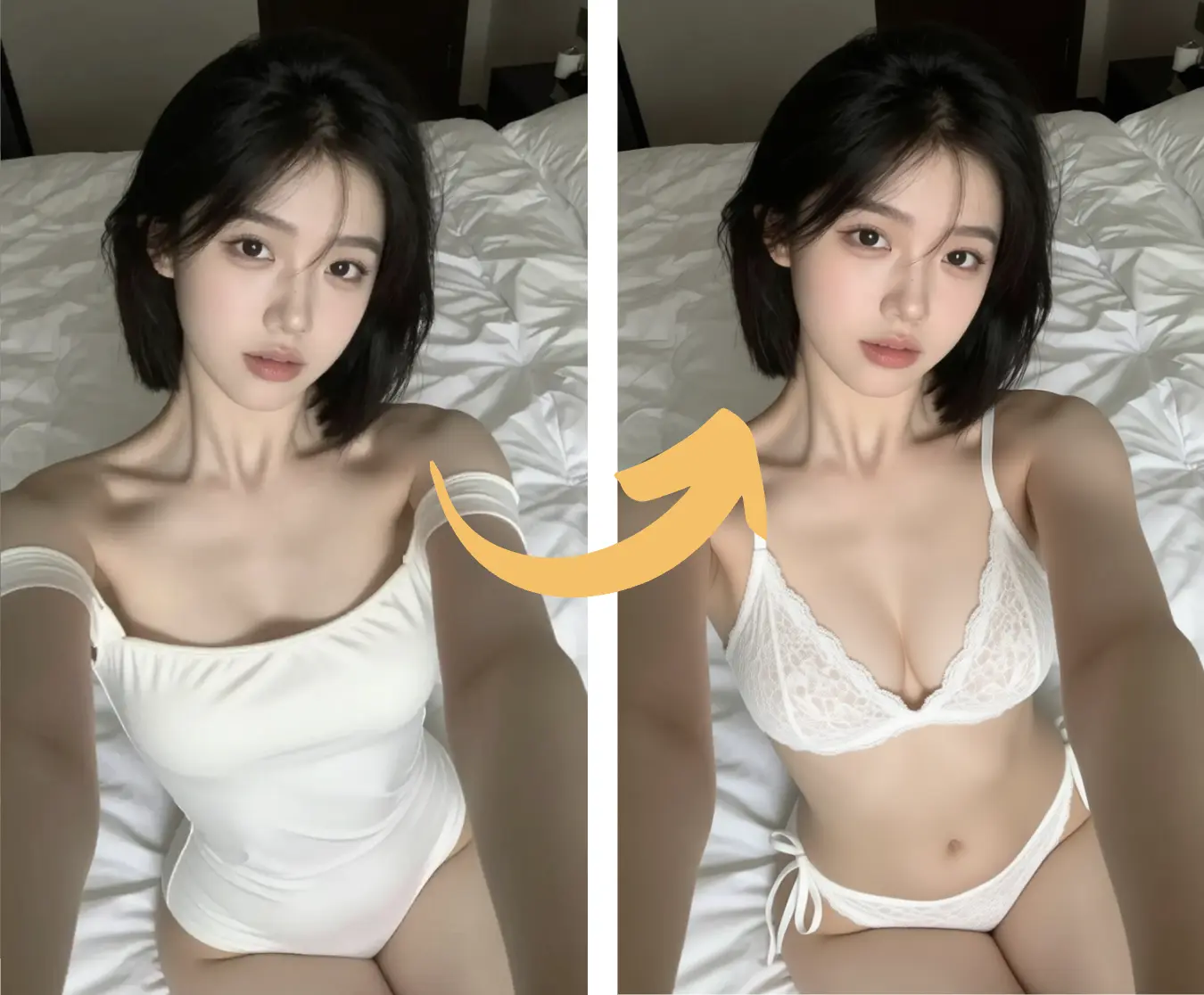
qwen-image-edit positioning
qwen-image-edit: edit in one sentence
qwen-image-edit is optimized for editing while preserving identity, structure, and fine details.
Low-drift edits
keeps unchanged areas stable.
Semantic + appearance edits
Covers both high-level changes and localized edits.
Text edits (CN/EN)
can replace/add text with style control.
Identity consistency
Great for iterative edits on people or products.
Multi-image fusion
Supports reference-based fusion/group shots.
Free & open-source
is open-source and deployable.
qwen-image 2512 showcase (version A)
Highlights realism, texture detail, and typography quality.
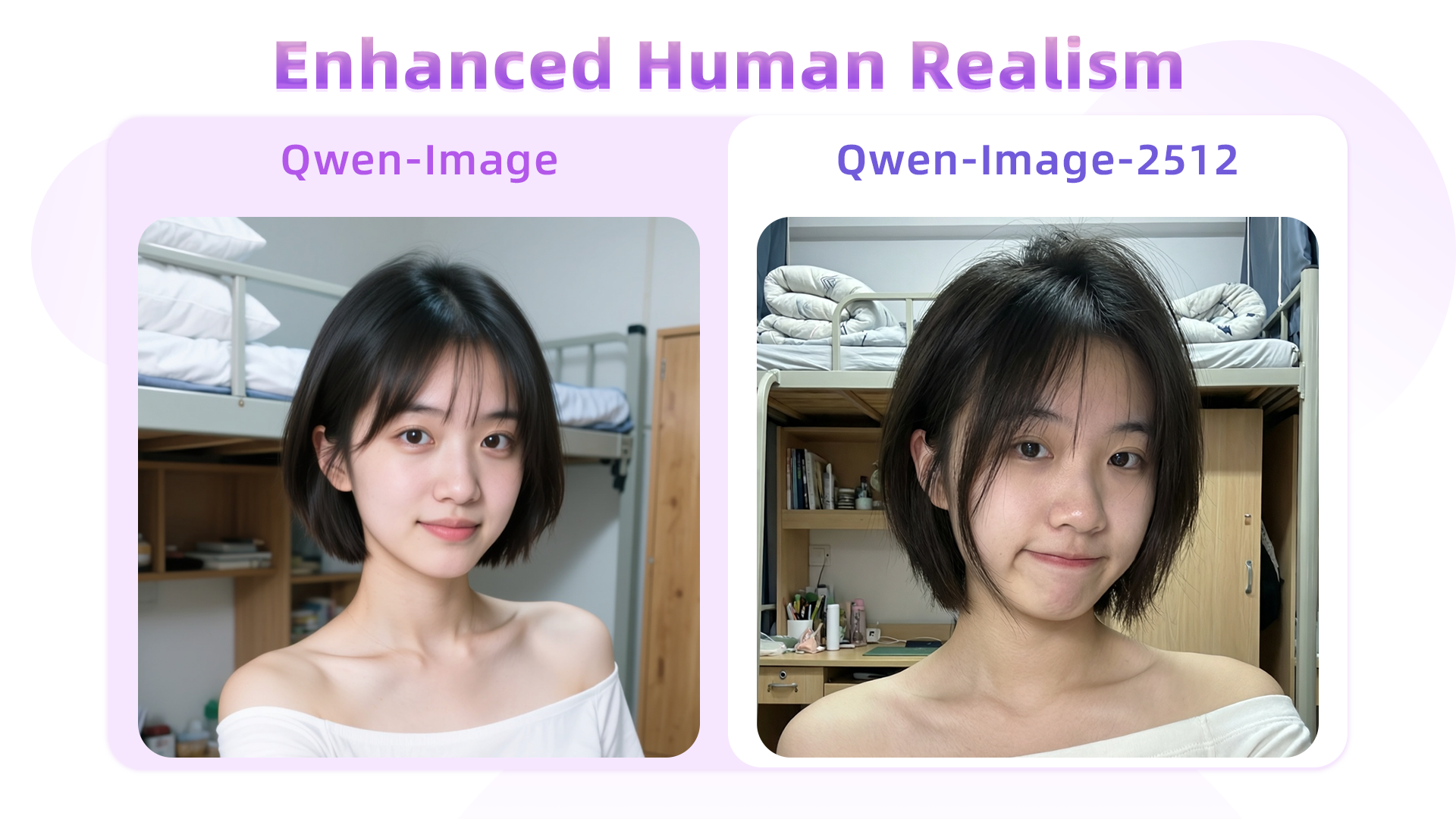
Human detail · lifestyle
More realistic facial detail.
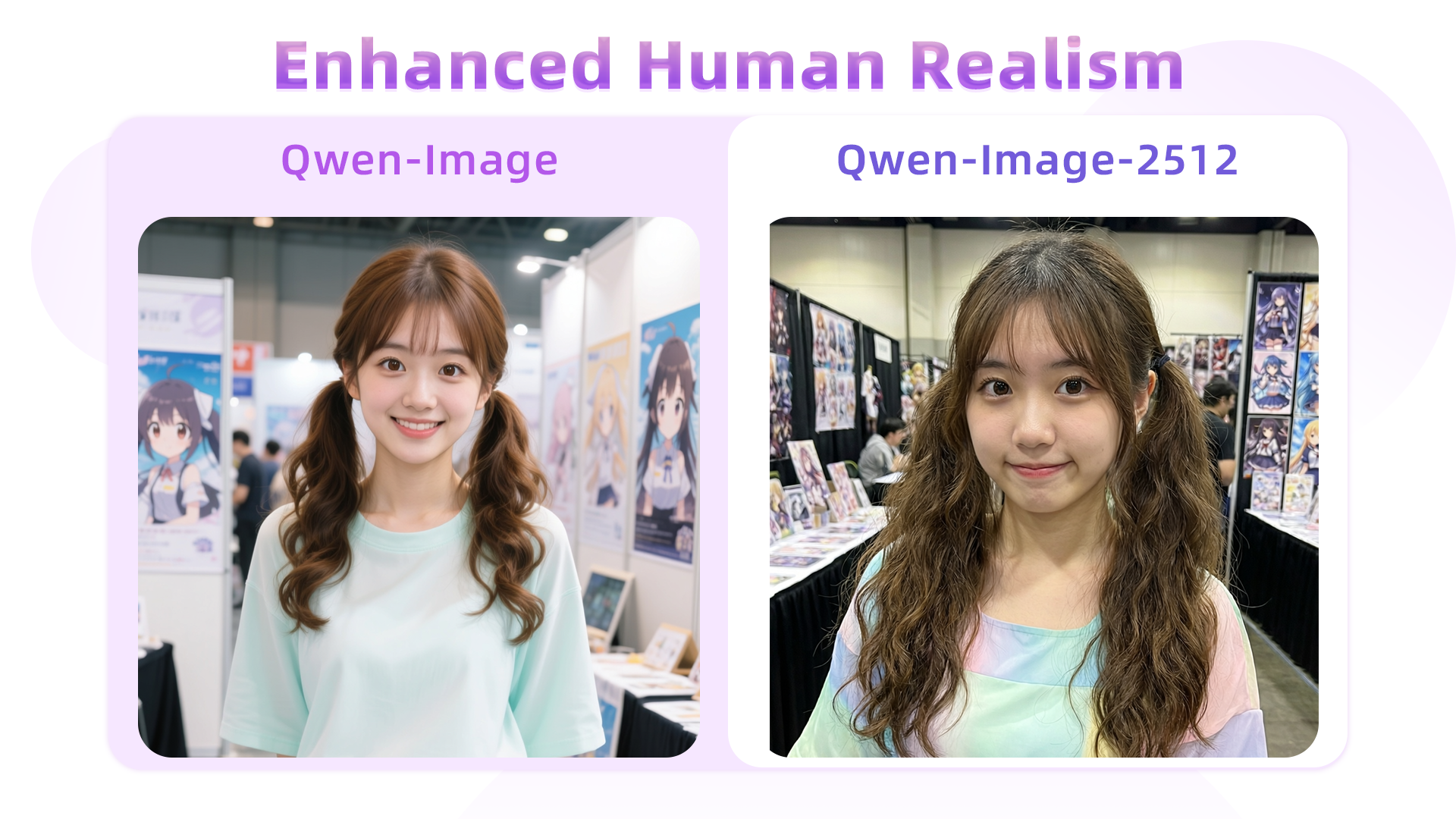
Hair detail
Sharper hair strands and context.
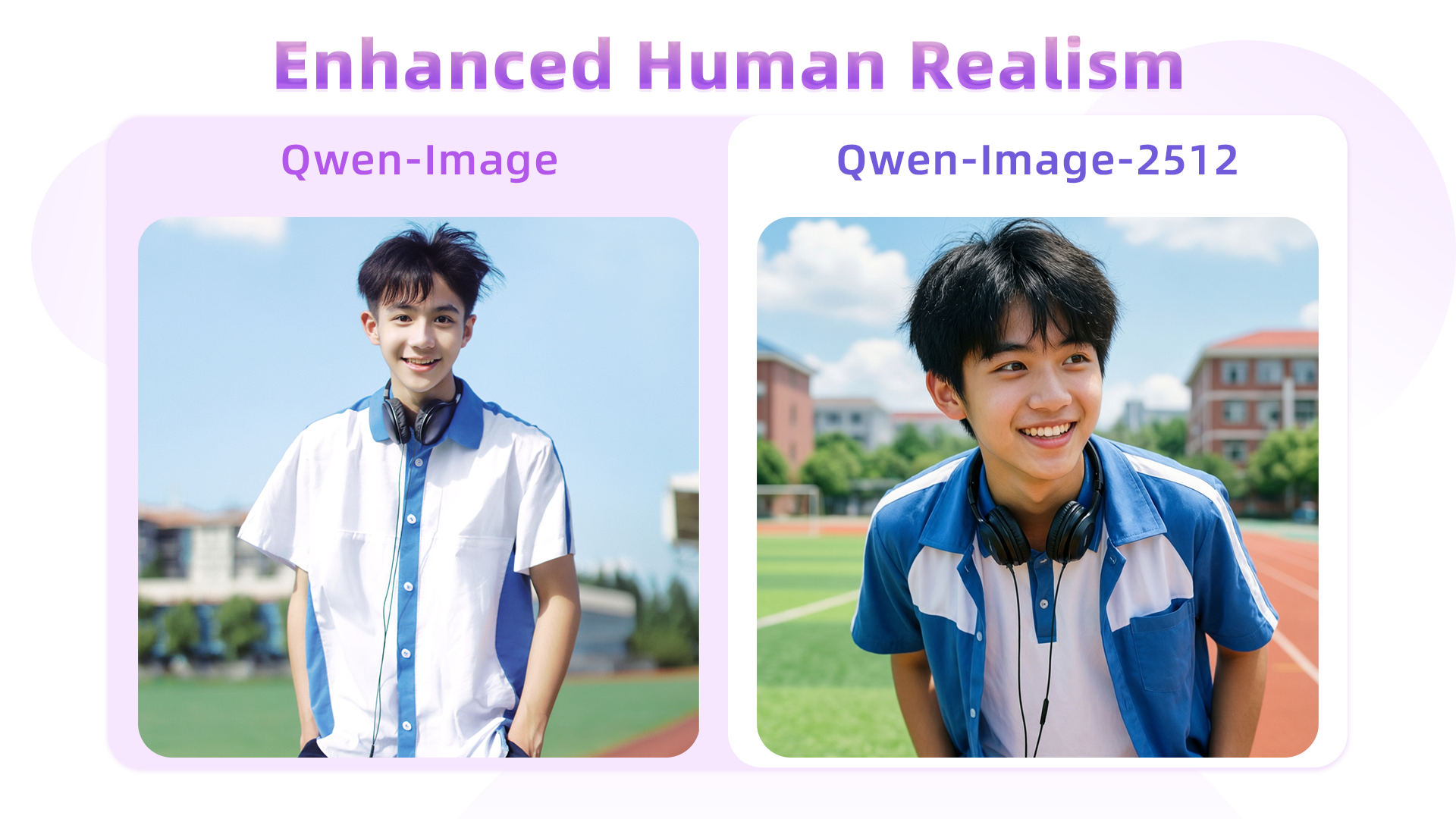
Pose following
Better semantic instruction alignment.
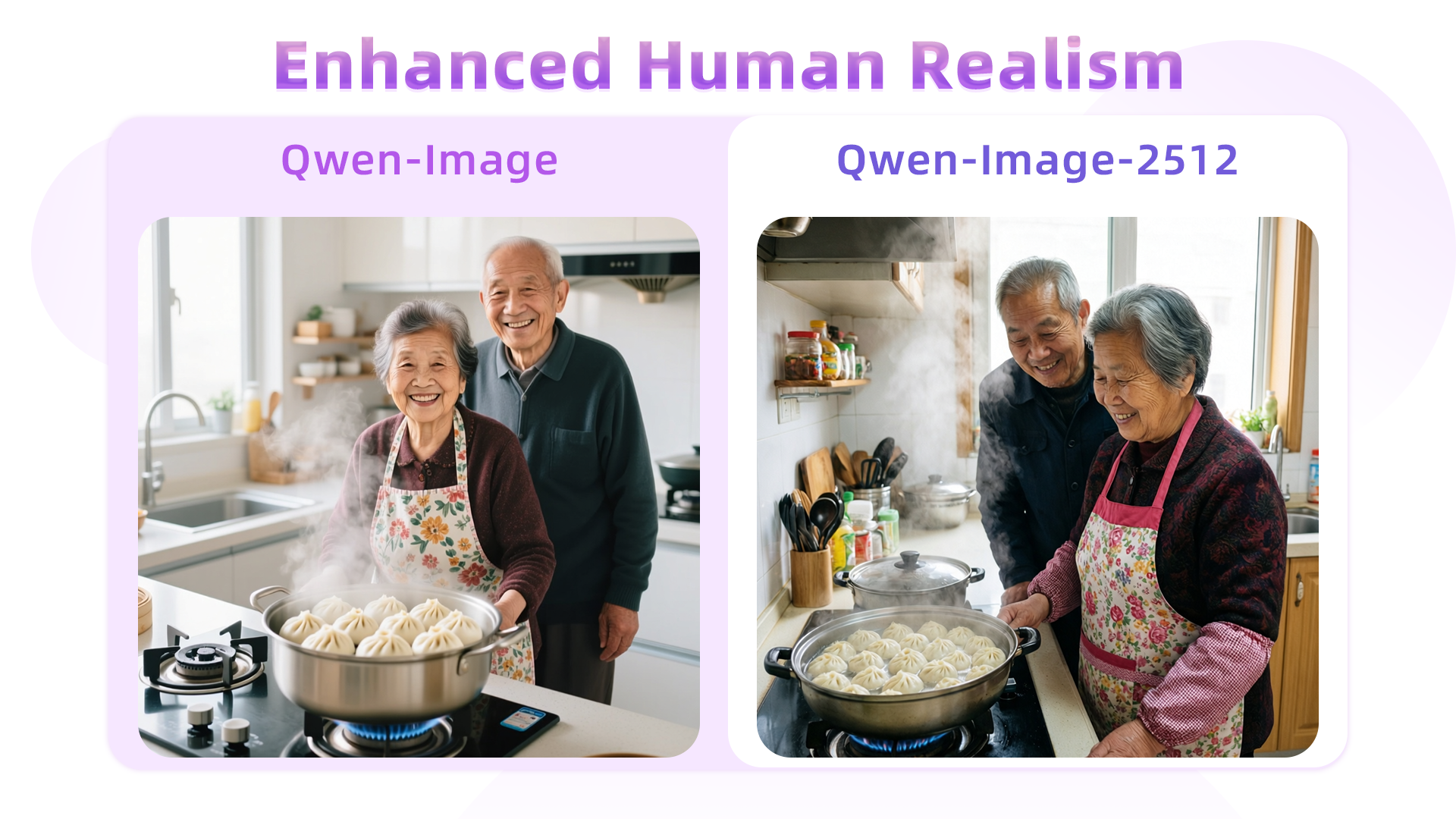
Age cues
More natural wrinkles and age detail.
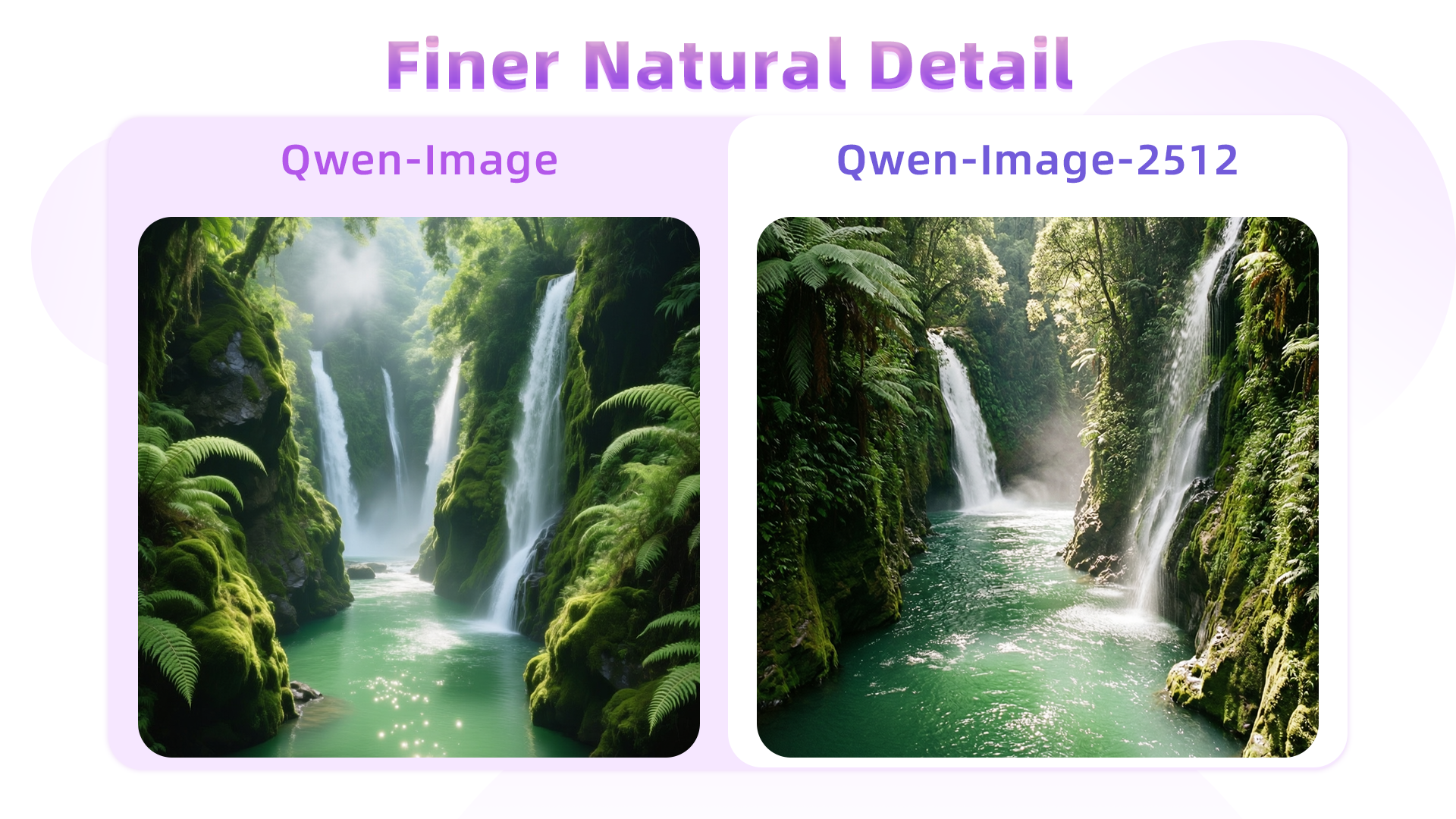
Waterfall texture
Richer mist and foliage layers.
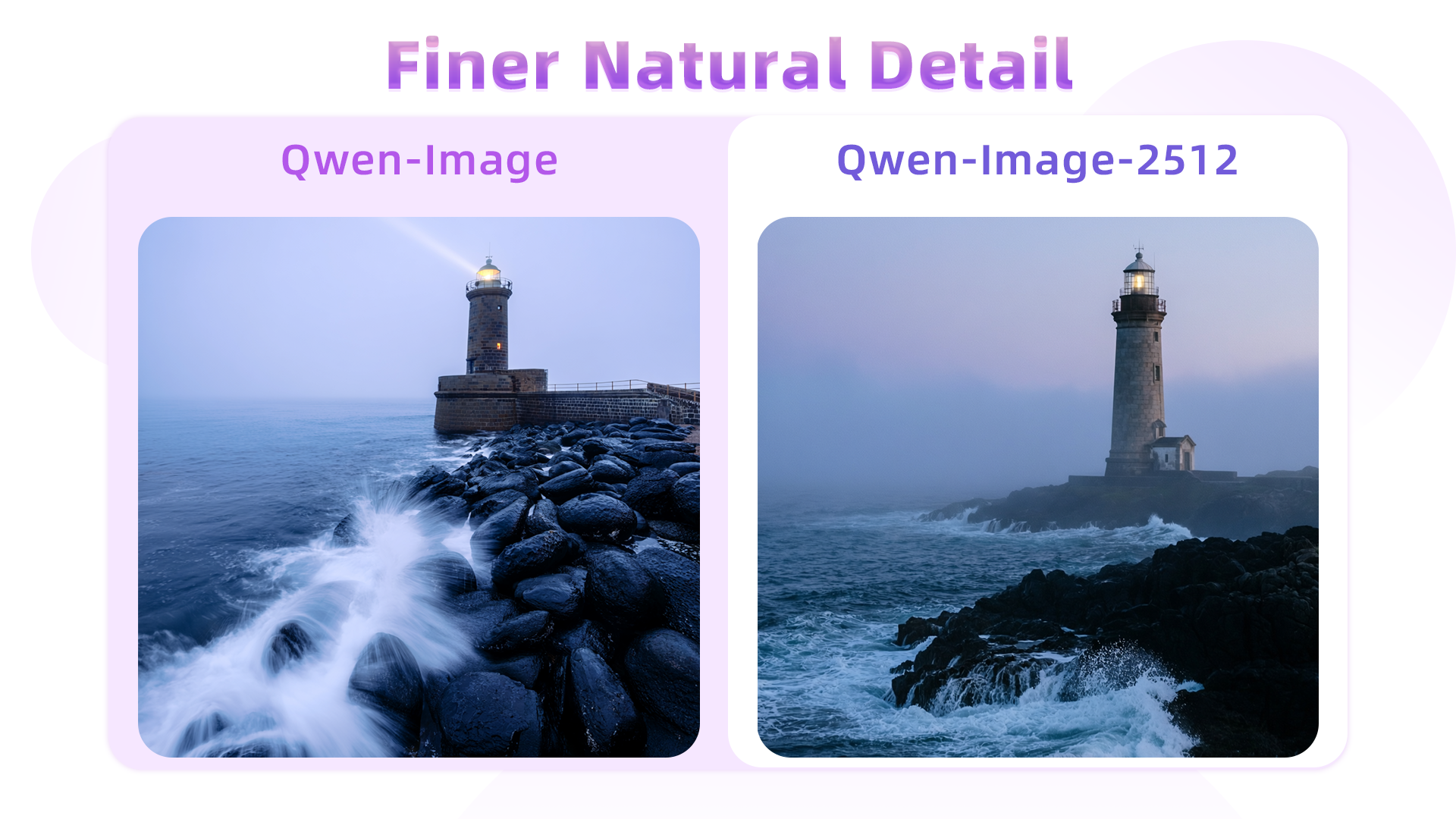
Wave texture
Cleaner spray and fog detail.
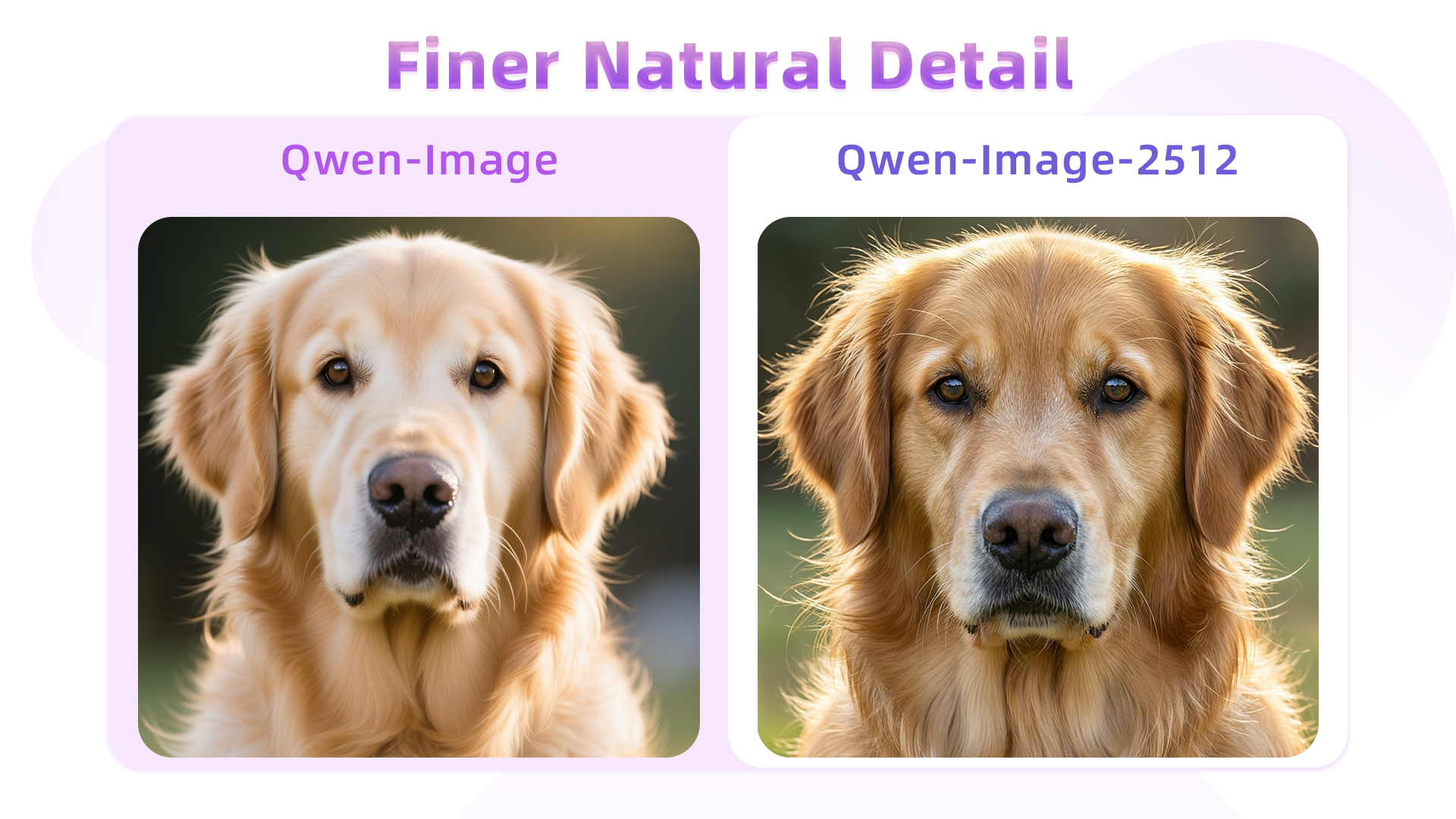
Fur detail
More realistic fur layers.
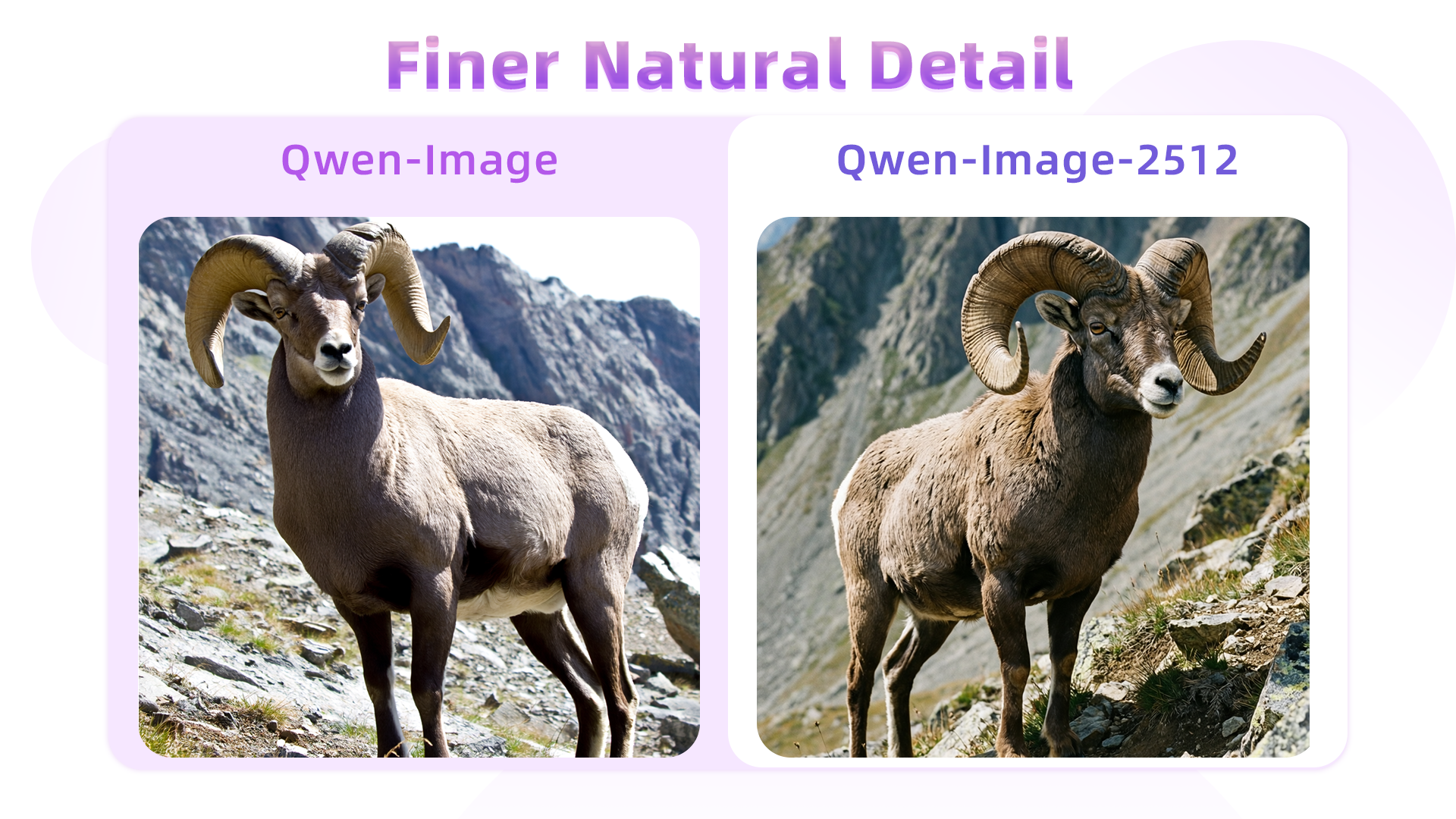
Wildlife texture
Clearer coat and horn detail.
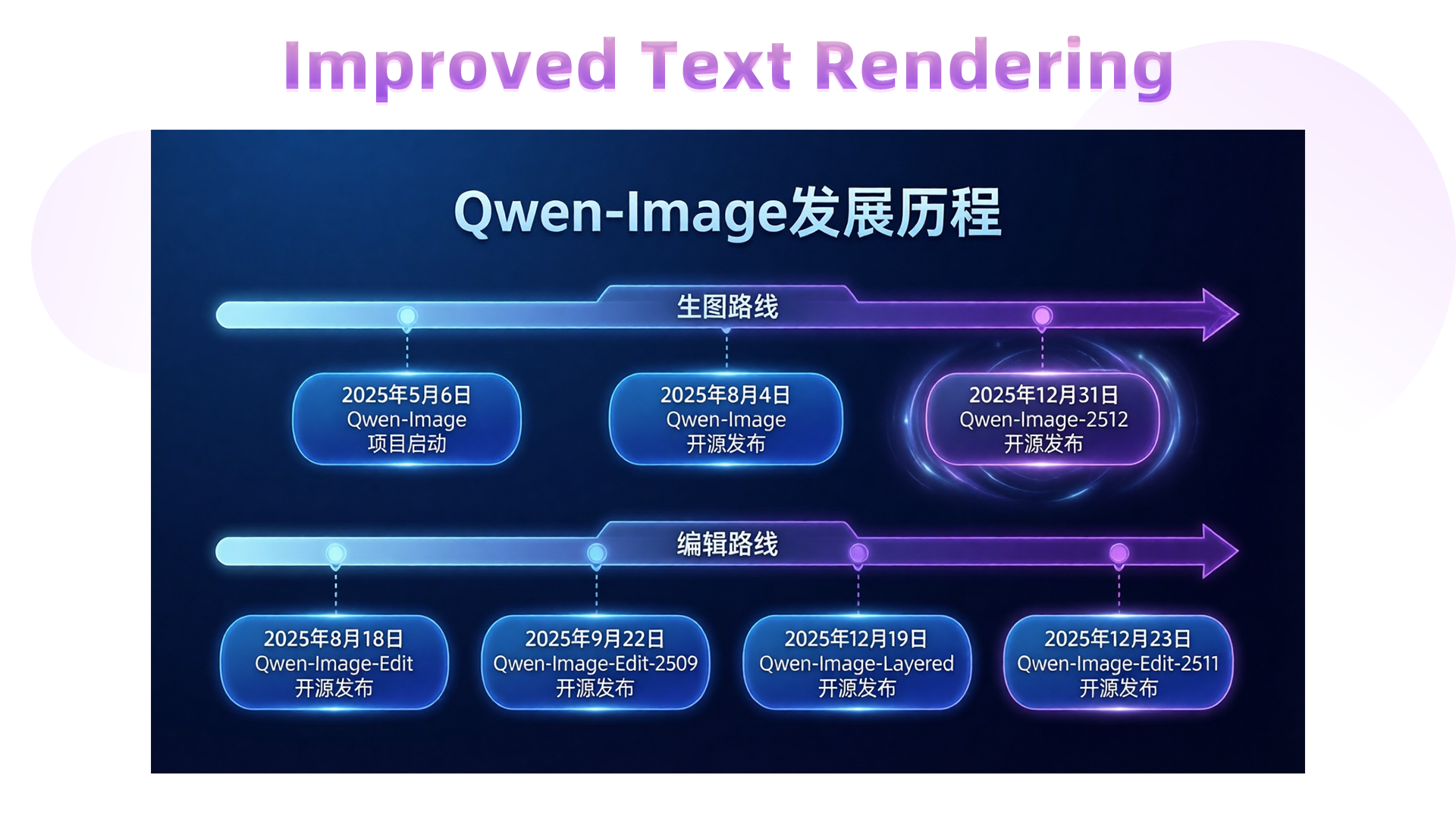
PPT typography
Stable complex text layout.
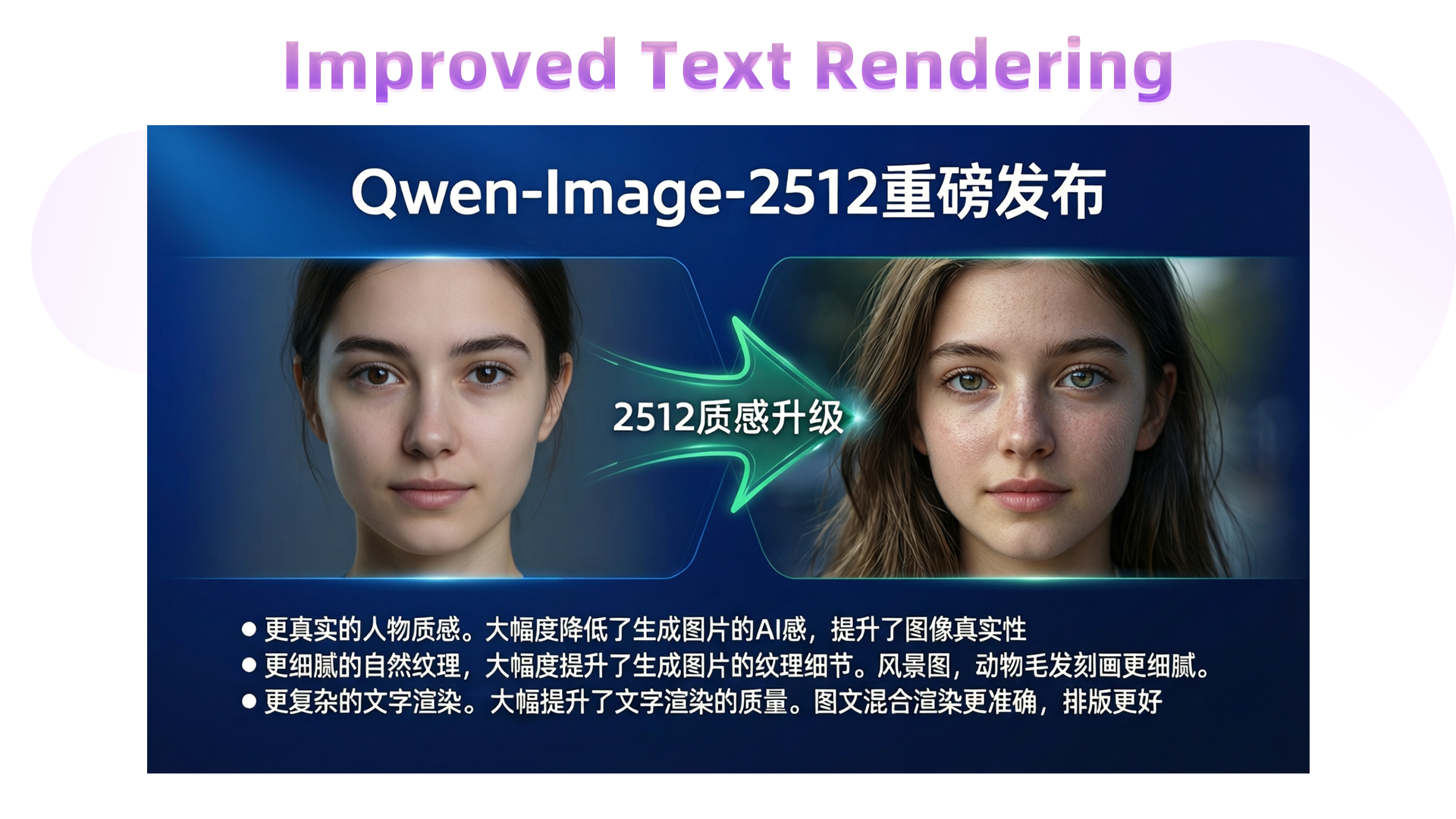
Comparison slide
Clearer hierarchy and annotations.
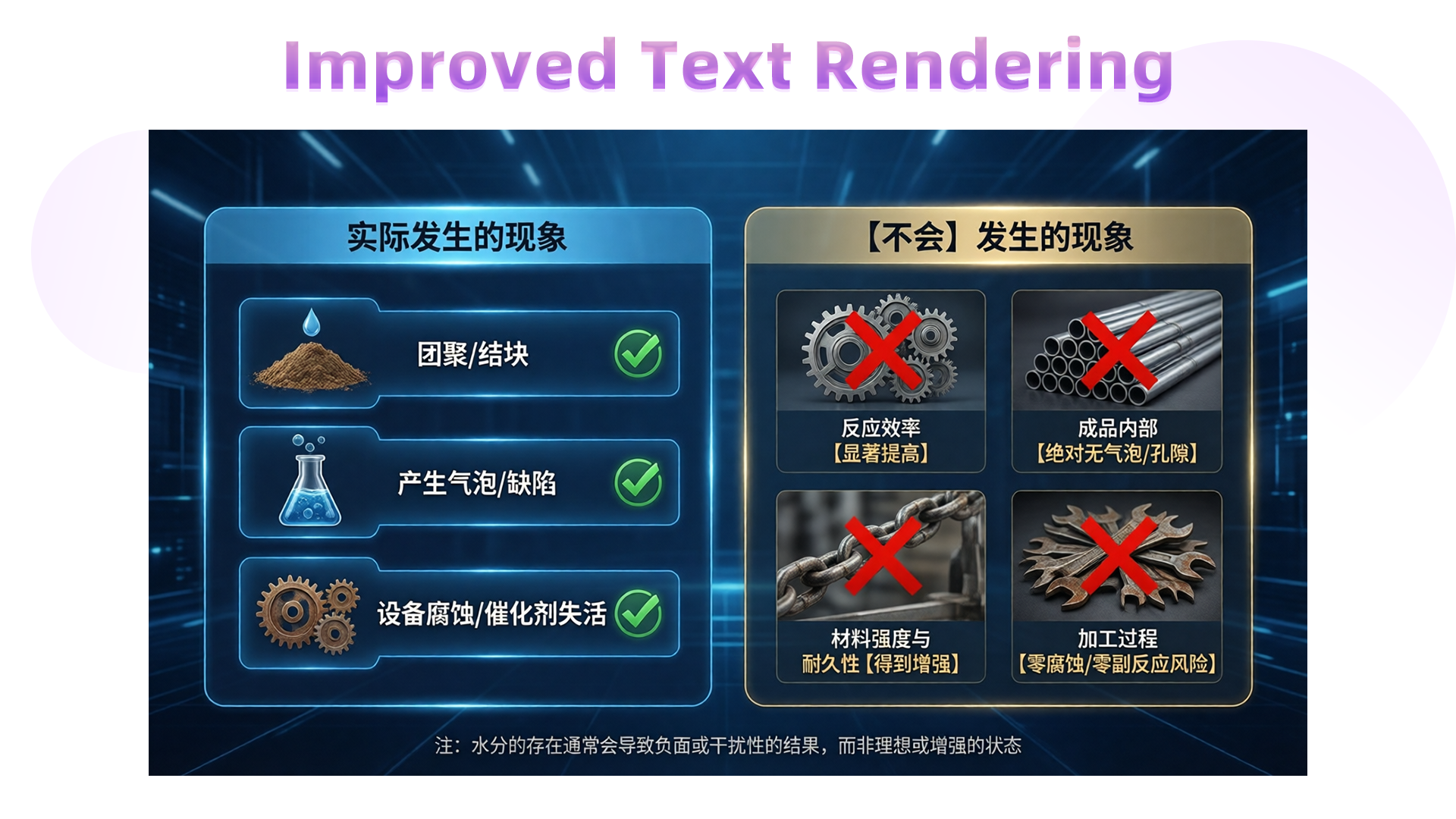
Industrial infographic
Structured modules and labels.
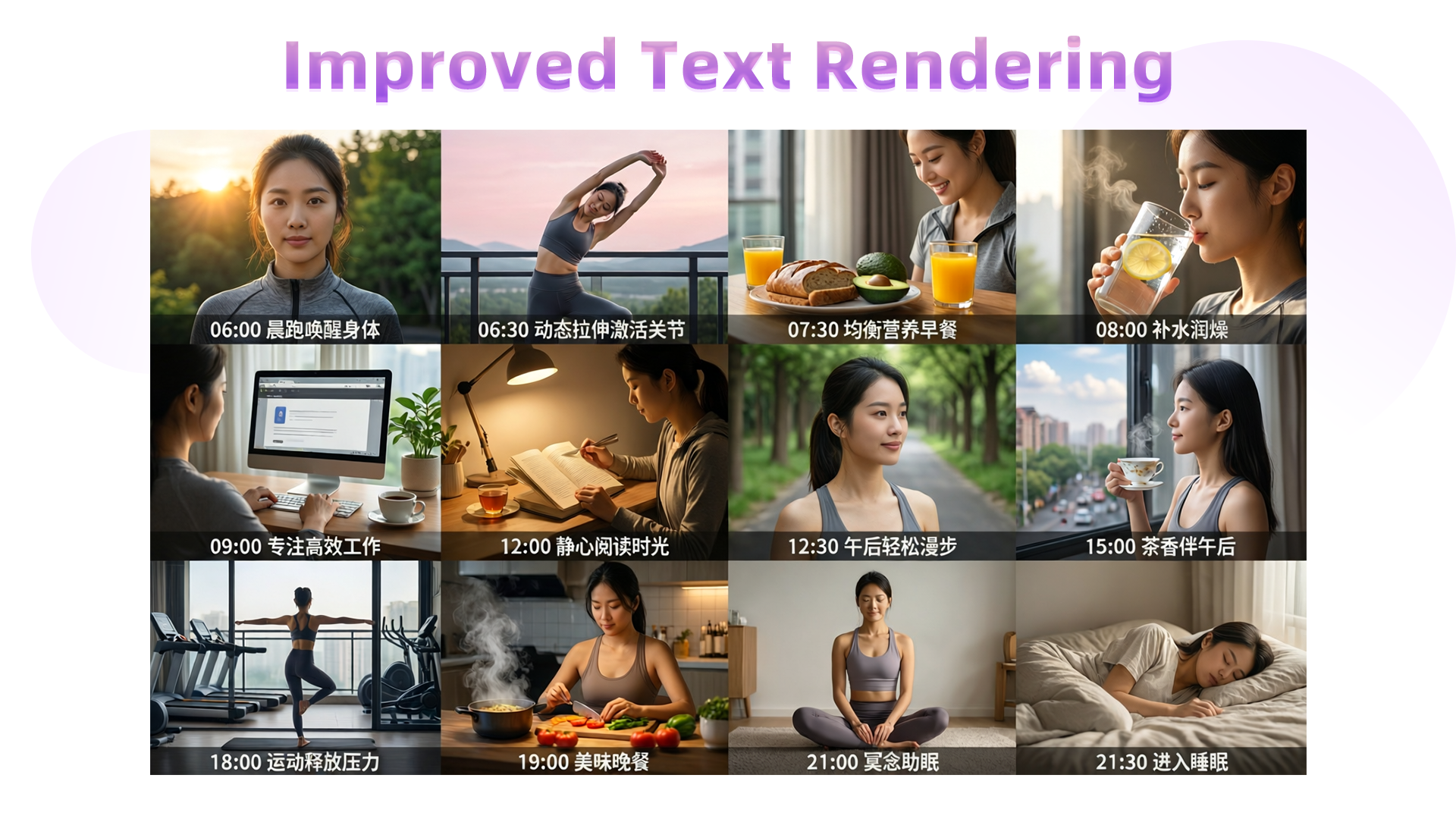
Educational poster
Stable grid layout and labels.
qwen-image-edit 2511 showcase (version B)
Identity consistency, multi-image fusion, lighting, and industrial design.
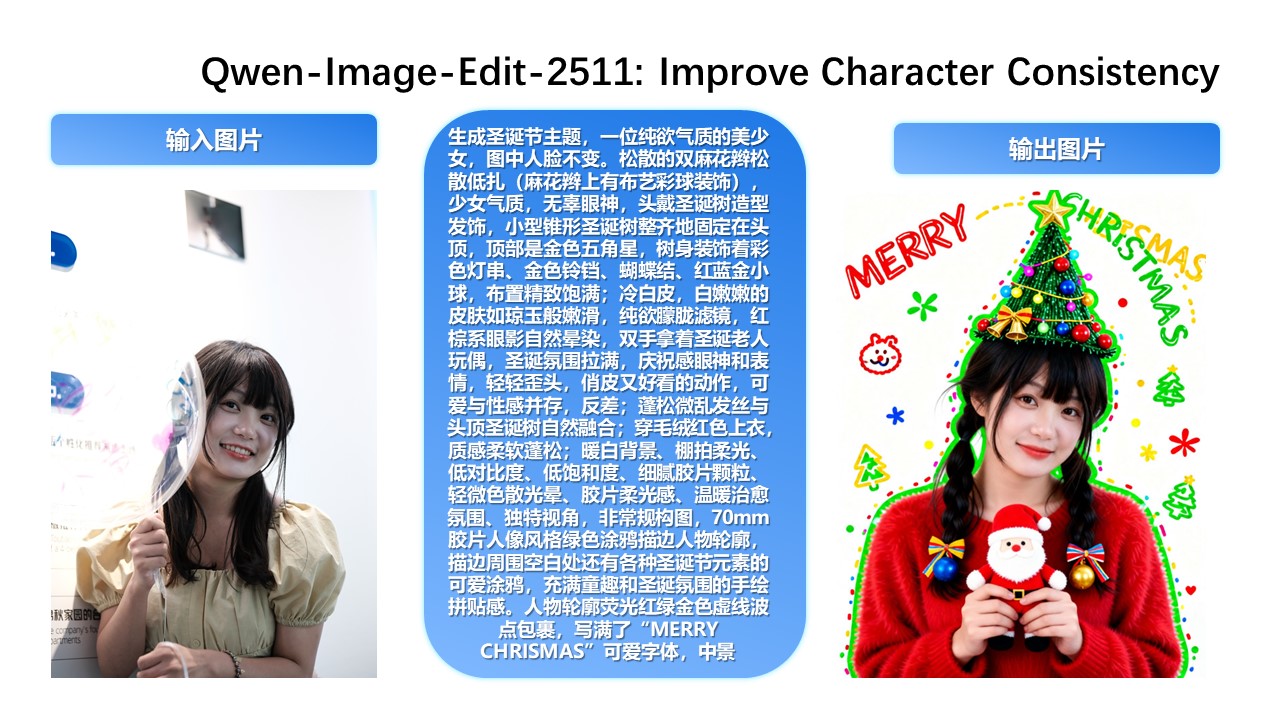
Identity consistency 1
Preserve identity while editing.
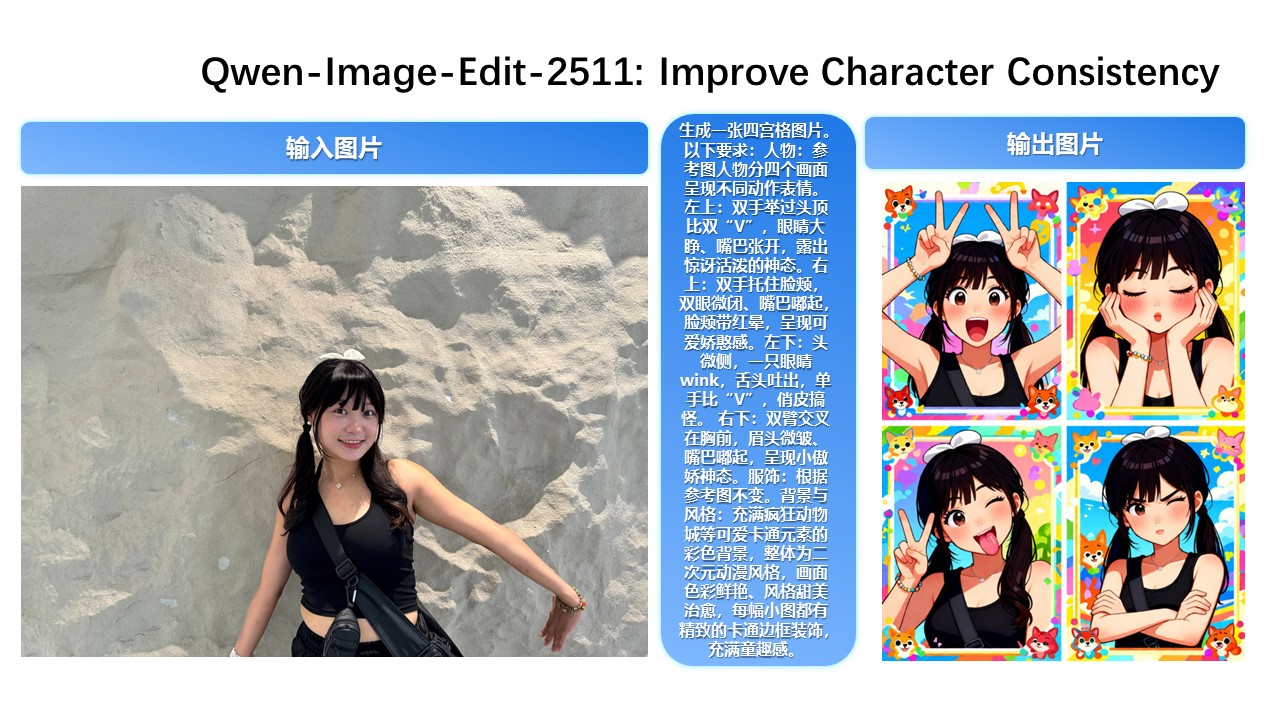
Identity consistency 2
Stable across iterations.
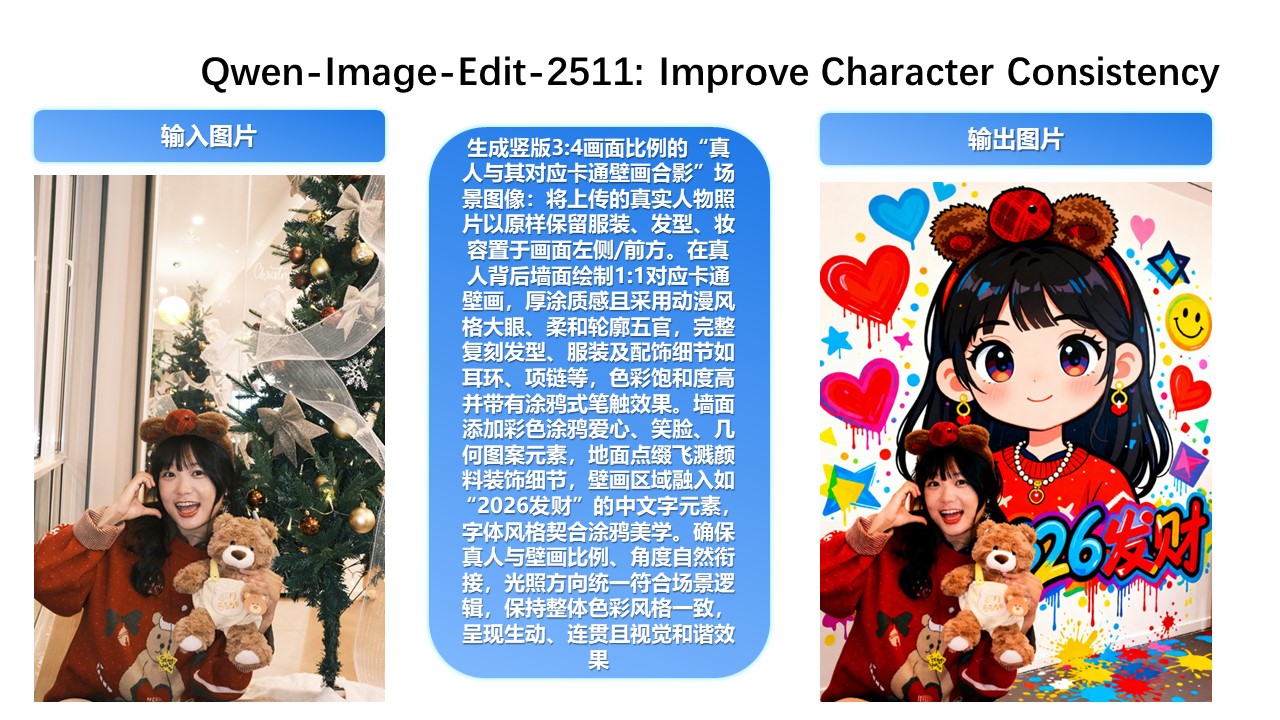
Identity consistency 3
Fine details stay consistent.
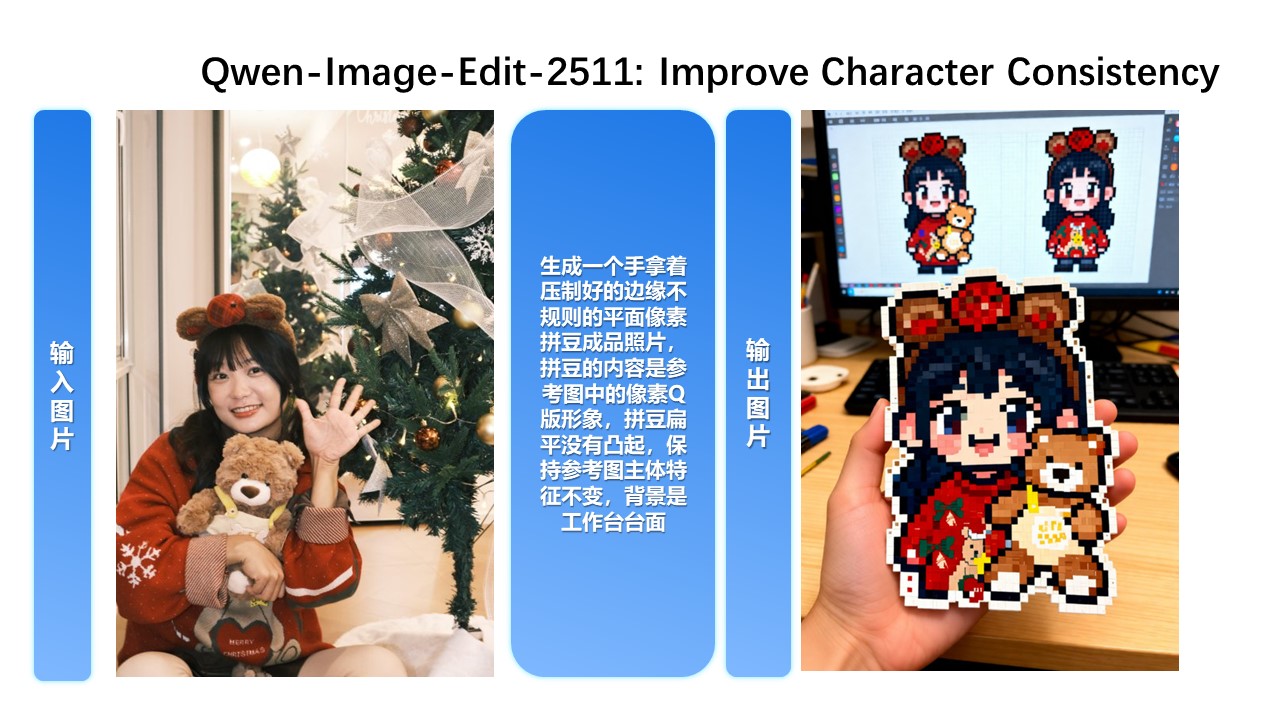
Identity consistency 4
Background changes with identity preserved.
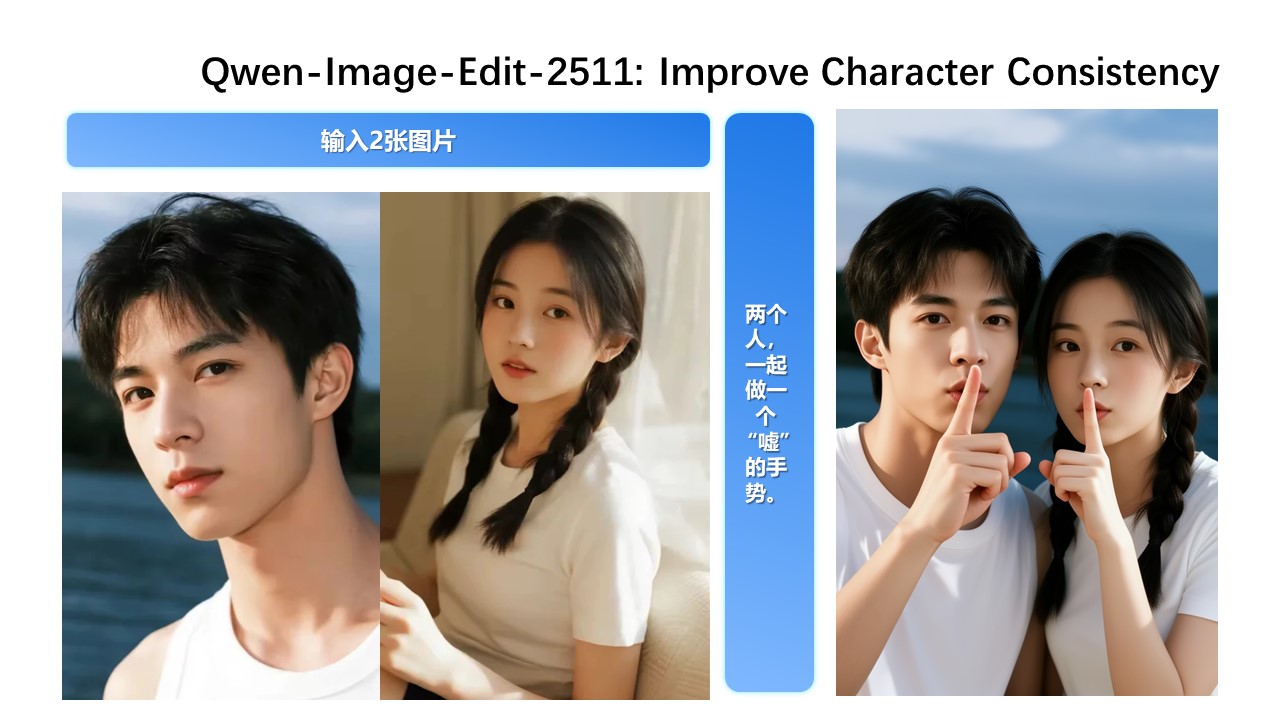
Multi-image fusion 1
Natural group photo fusion.
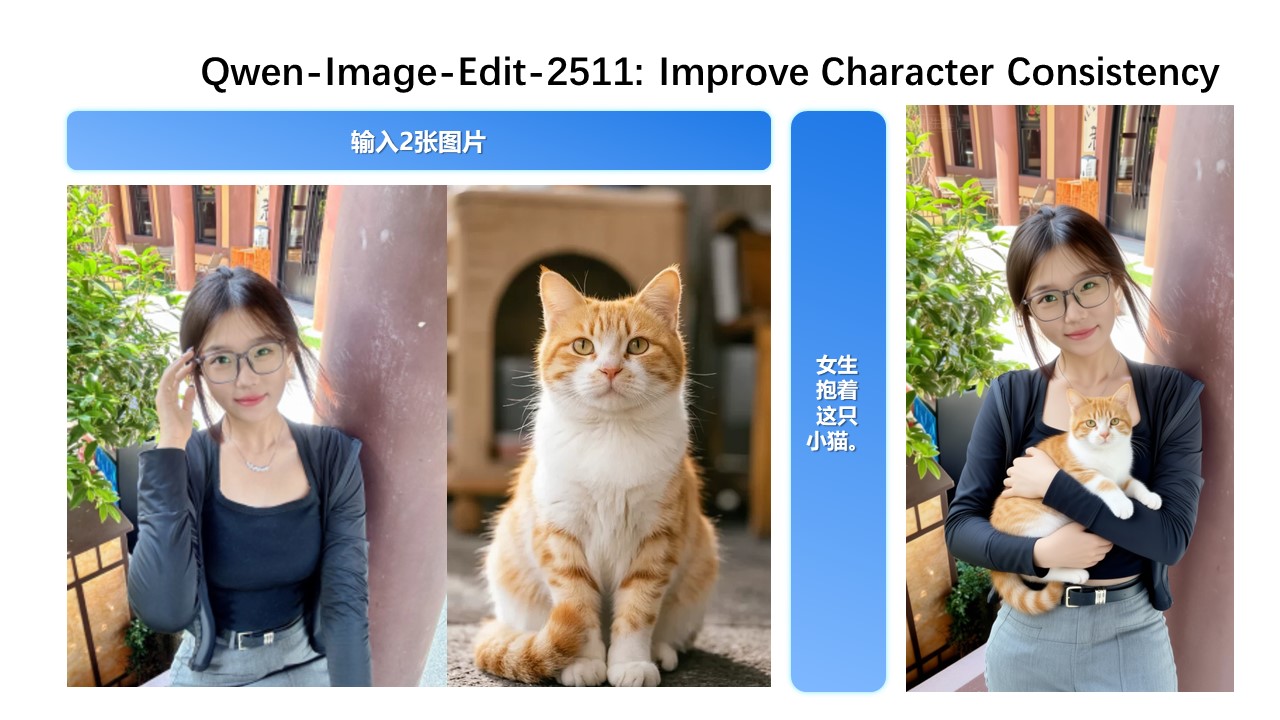
Multi-image fusion 2
Consistent multi-person scene.
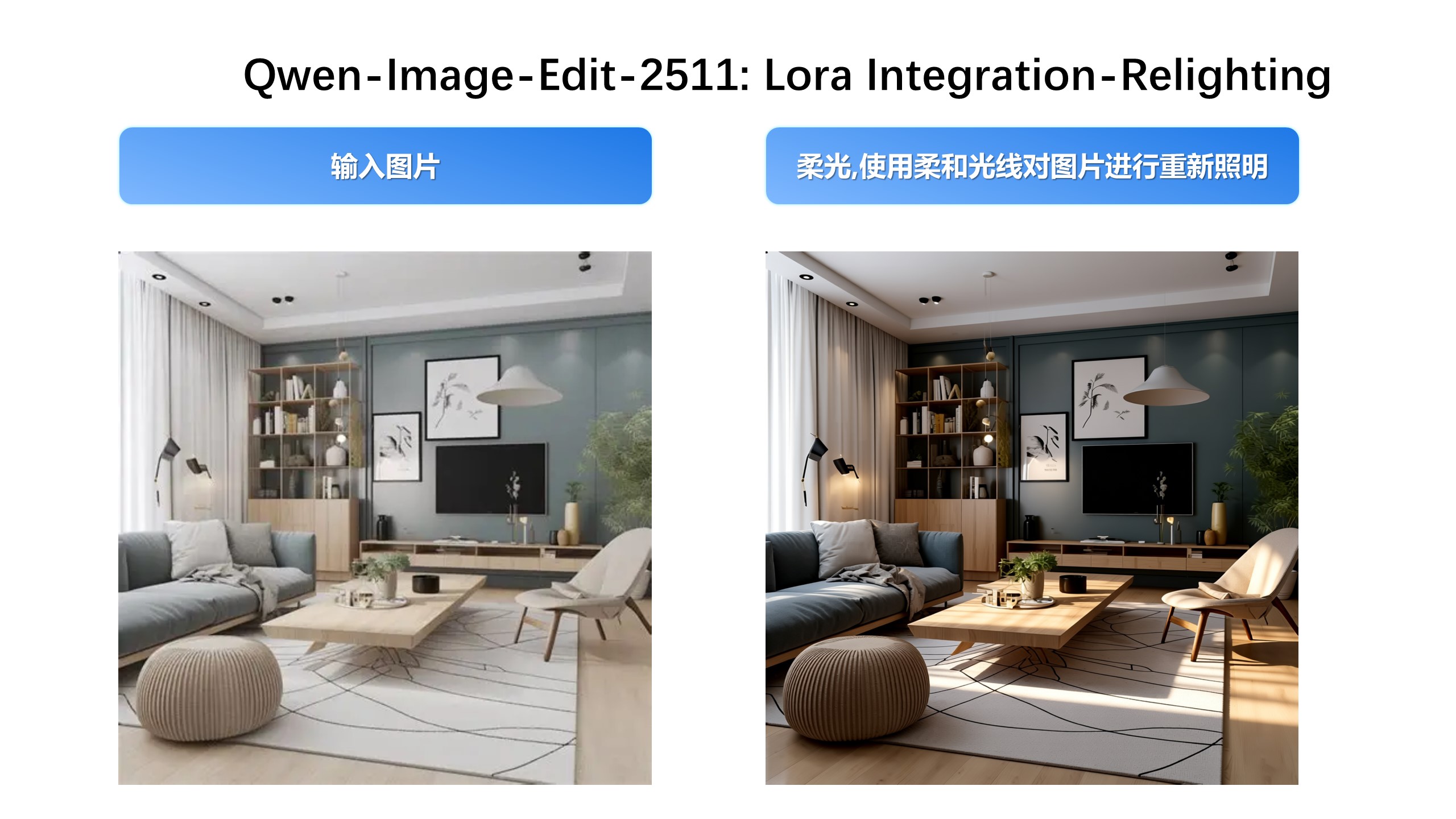
Lighting enhancement 1
Controlled lighting adjustments.
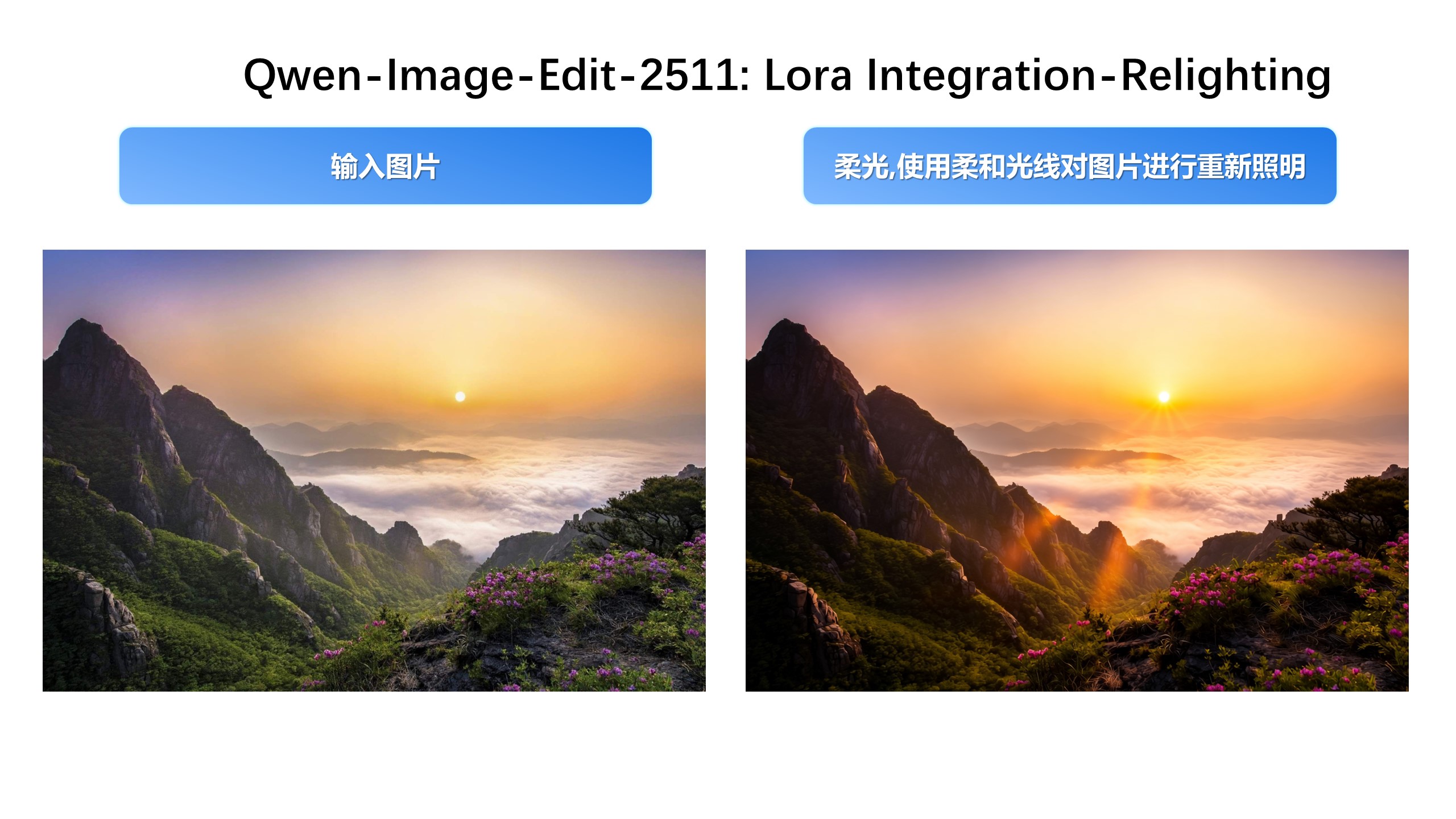
Lighting enhancement 2
More natural light and mood.
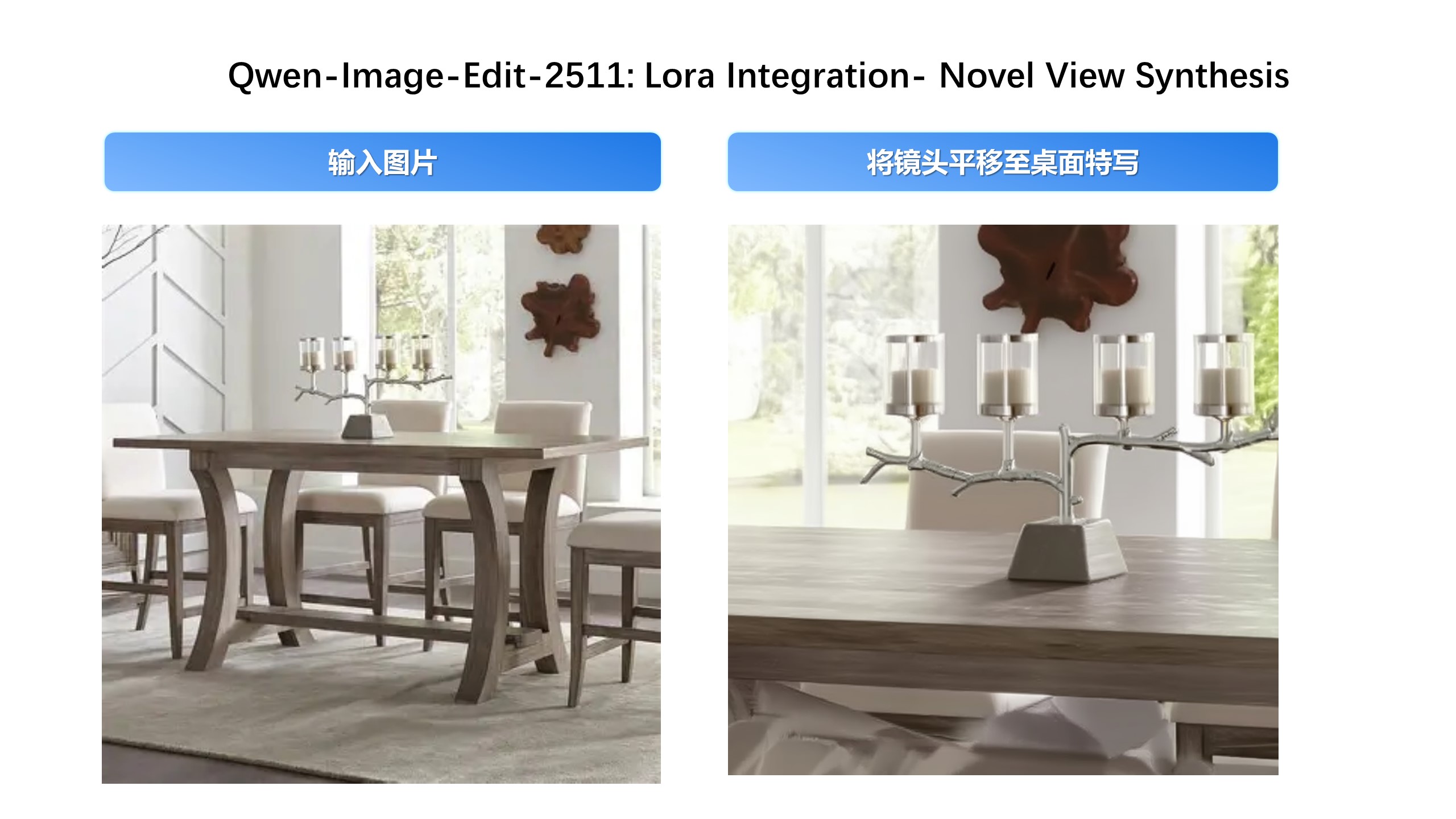
New viewpoint 1
Generate a new viewpoint.
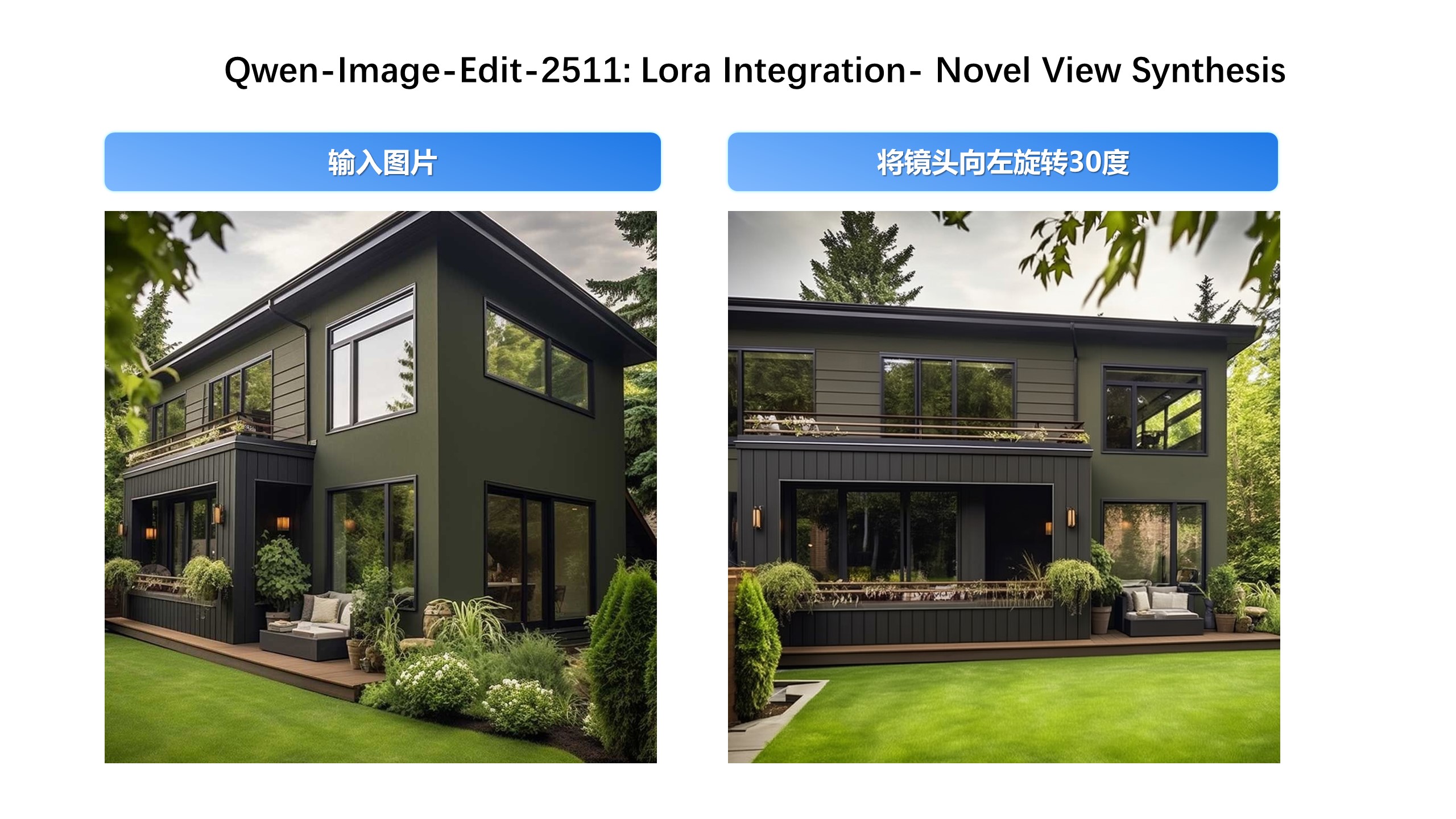
New viewpoint 2
Viewpoint change with stability.
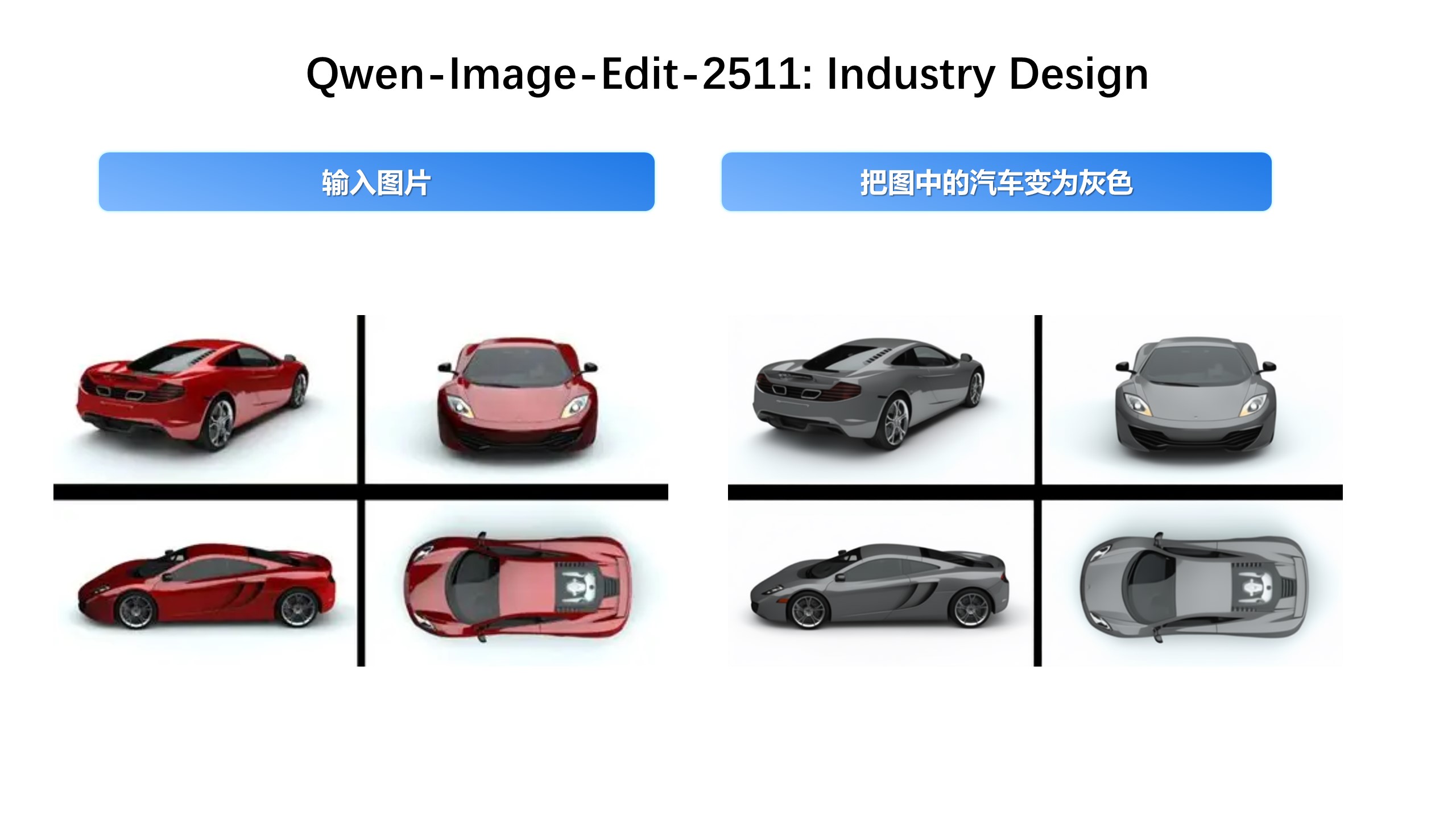
Industrial design 1
Structure-preserving variants.
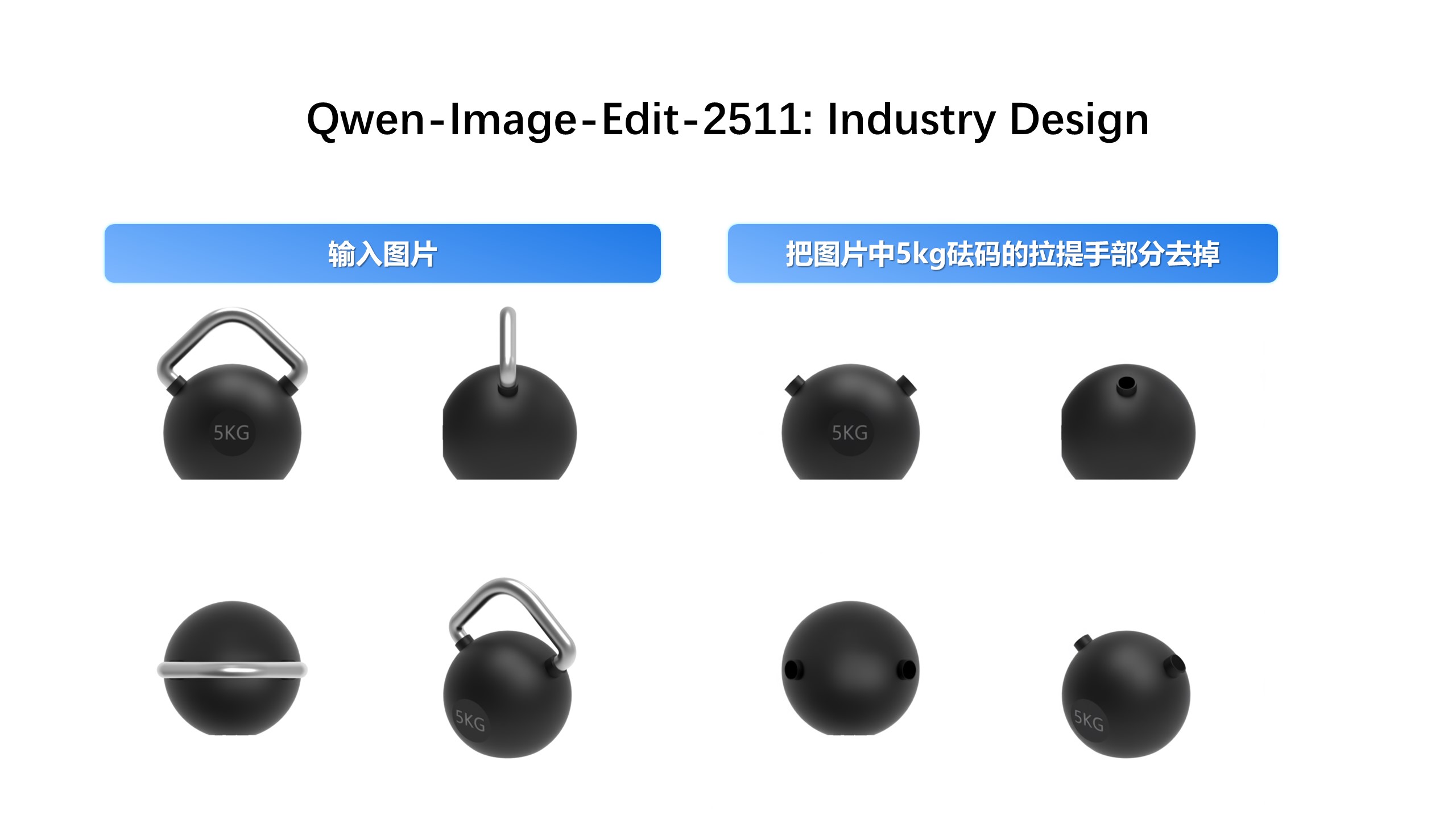
Industrial design 2
Material and color iterations.
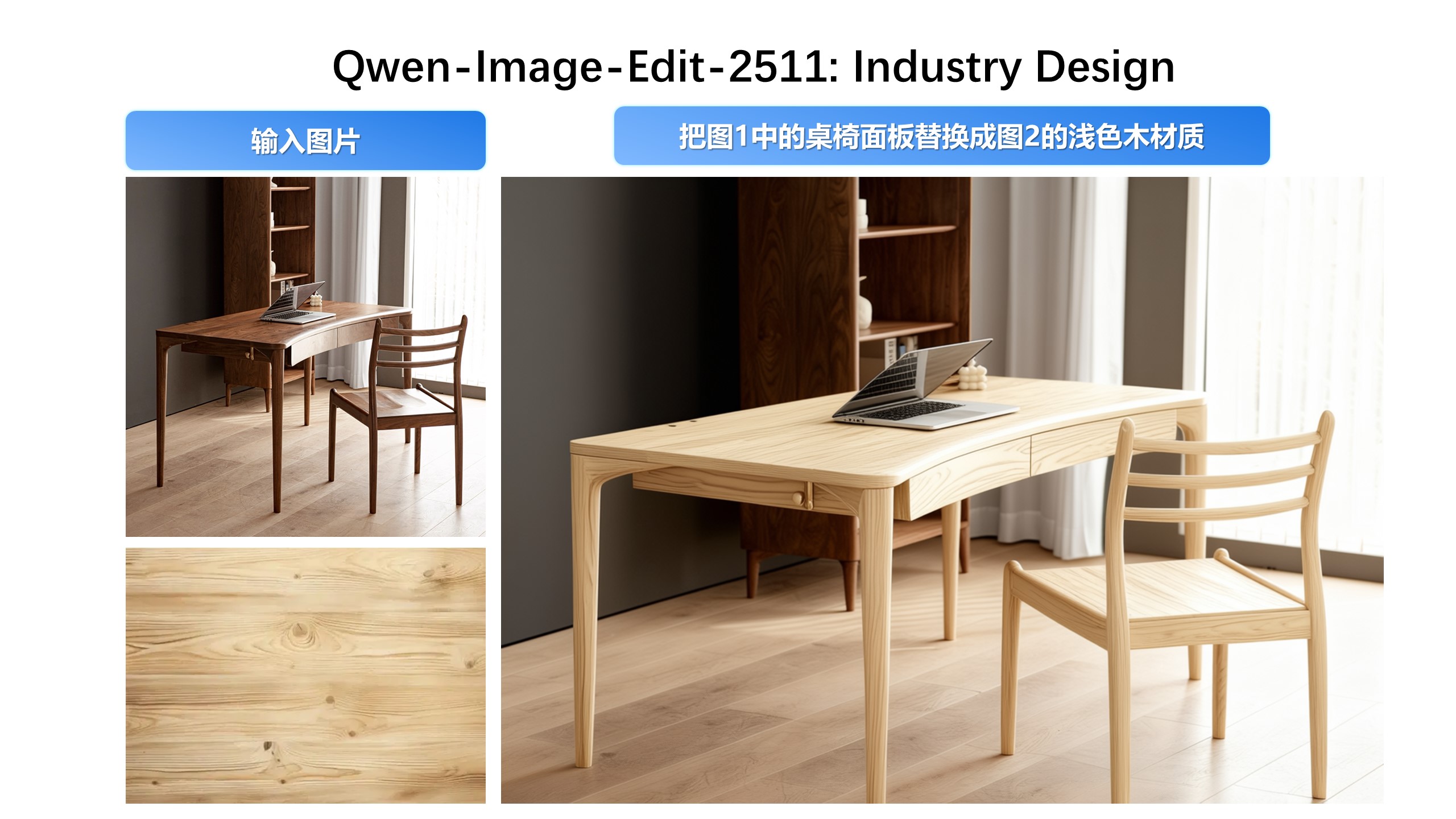
Material swap 1
Swap materials while keeping structure.
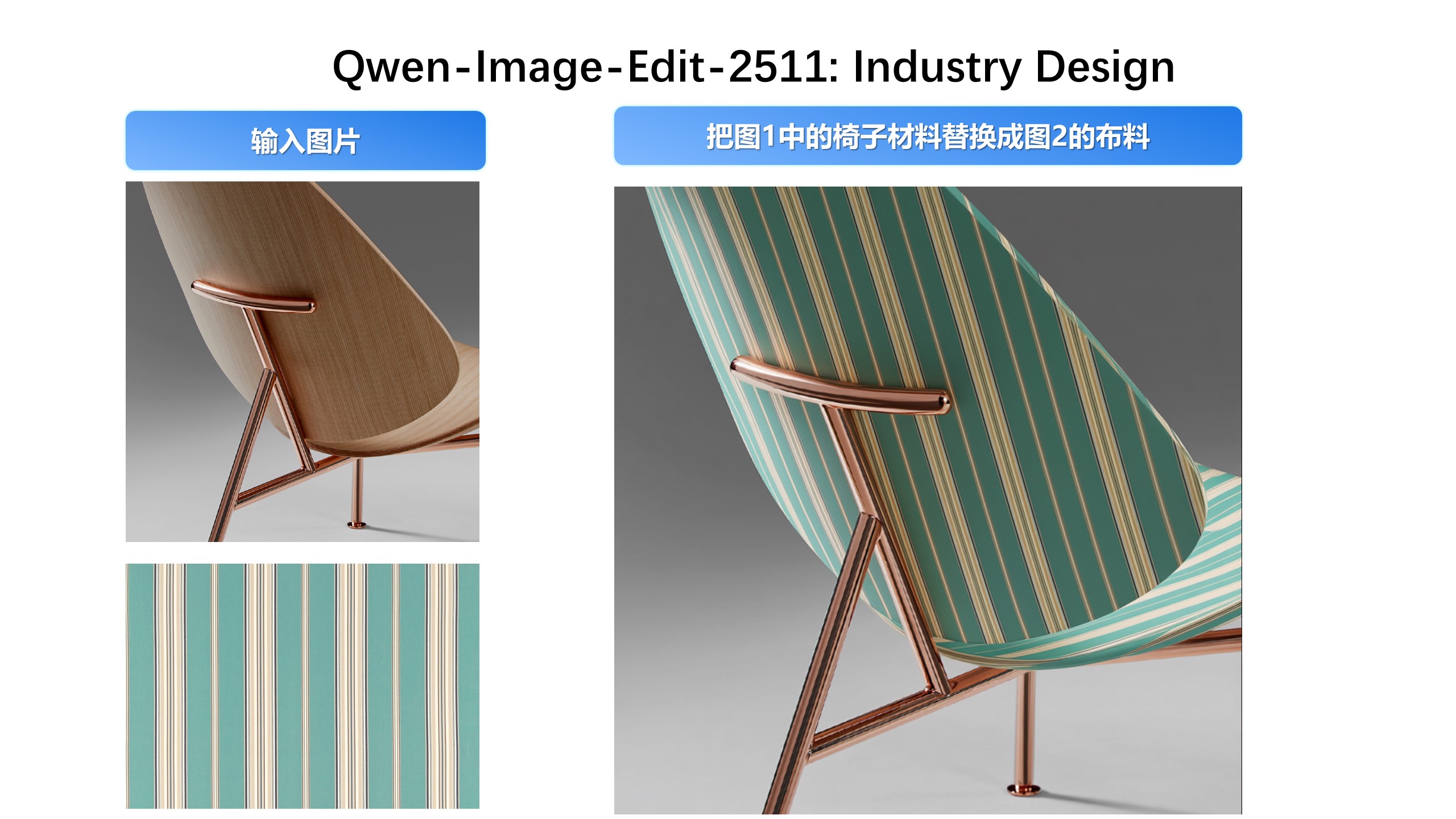
Material swap 2
Preserve detail and shadows.
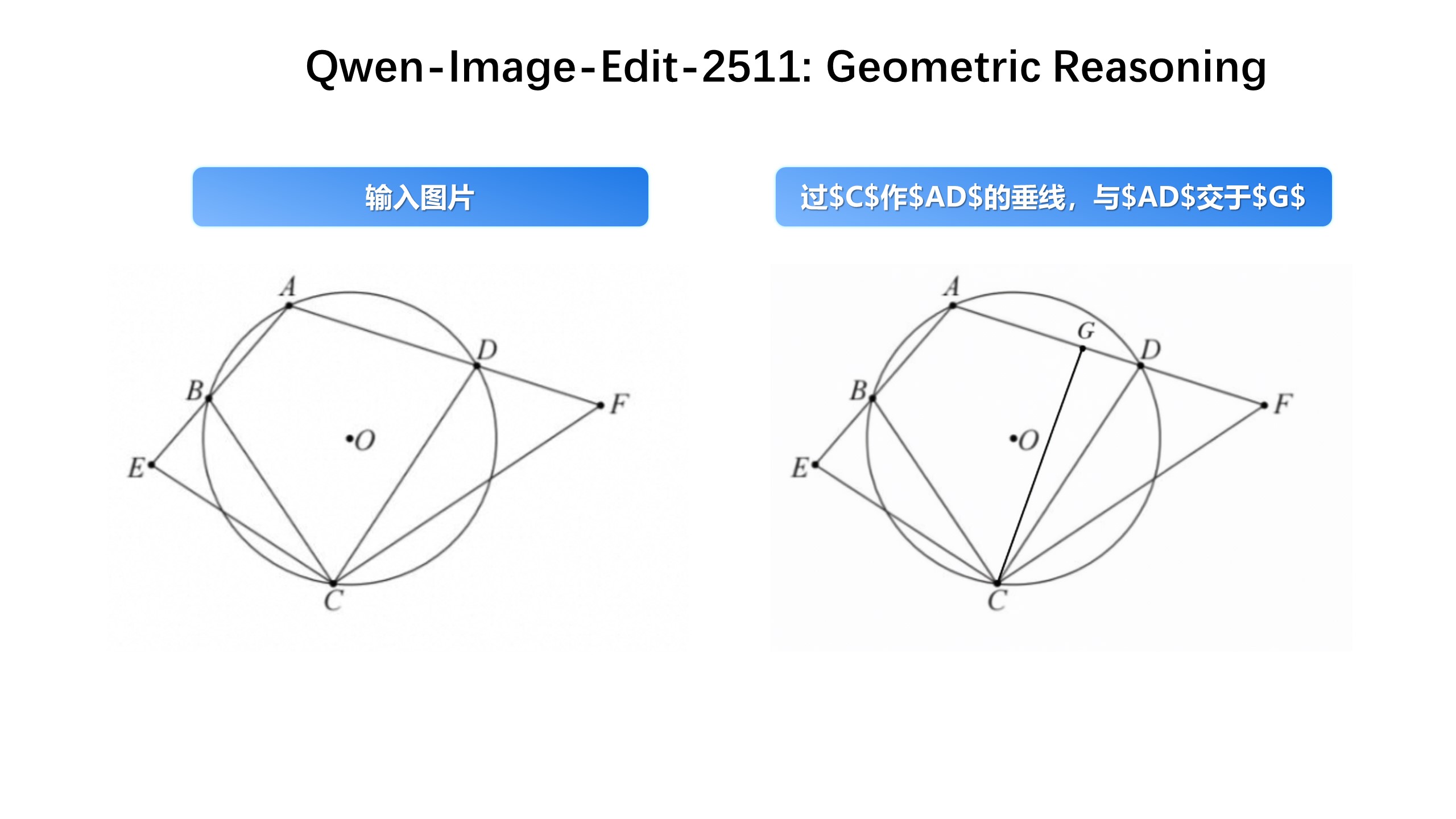
Geometry reasoning 1
Cleaner auxiliary lines.
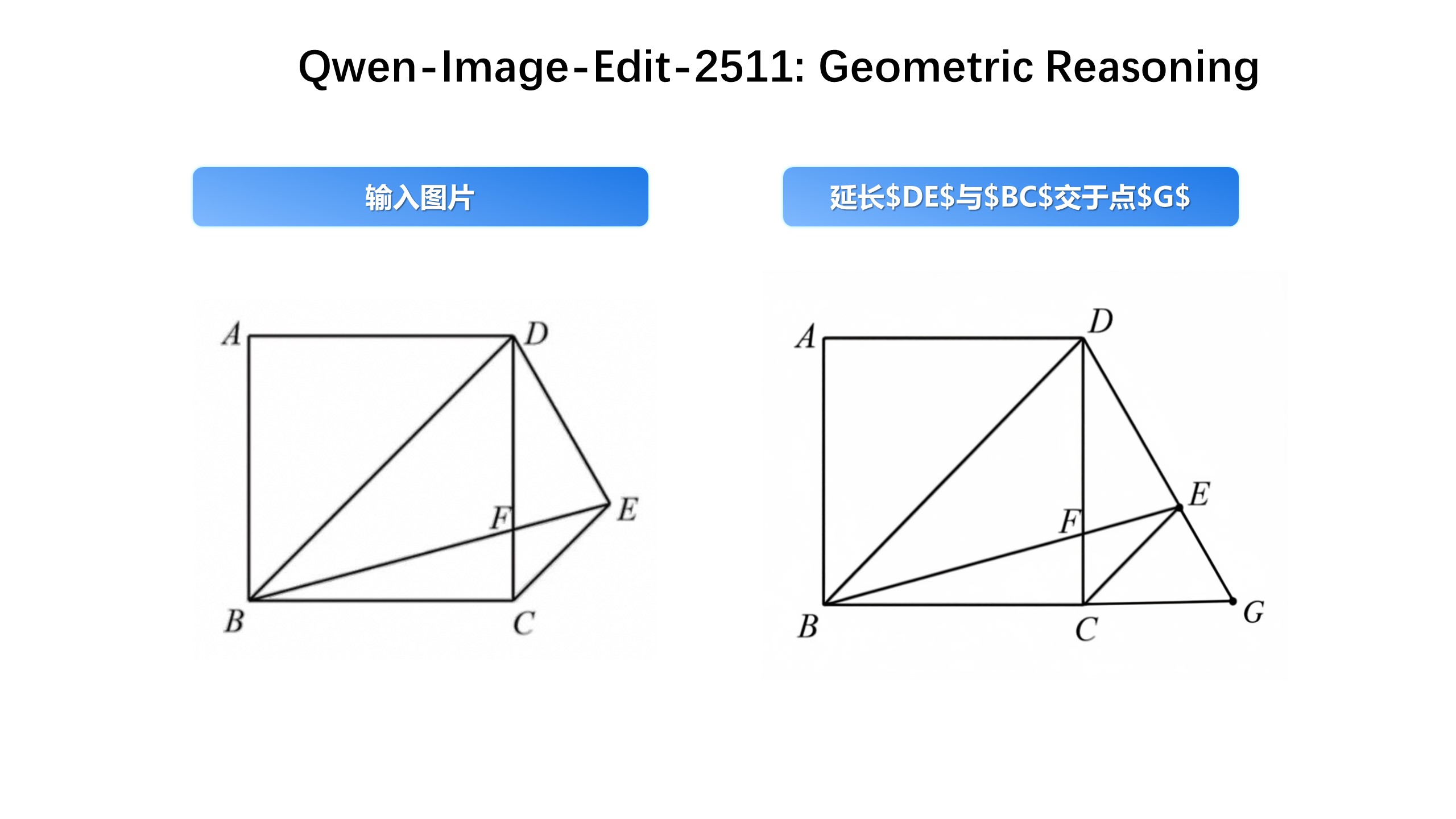
Geometry reasoning 2
Cleaner perspective and structure.
qwen-image-edit workflow
Be explicit about what to change and what must stay the same.
- 01/ 04
Prepare an input image
Choose the source image to edit.
- 02/ 04
Write the edit instruction
Action + target + constraints.
- 03/ 04
Optional references
Add reference images for fusion.
- 04/ 04
Iterate in steps
Split complex edits to reduce drift.
Qwen-Image-Edit Scene Examples and Prompt Structure
Masonry examples: Each card contains prompts and structure breakdown for quick reuse and modification.
Identity Consistency / Outfit and Hairstyle
Prompt: Keep person's identity and facial features unchanged, change the top to a white shirt, change the hairstyle to short hair, keep the rest unchanged as much as possible
Structure: Keep identity features + Specify modification area + Emphasize unchanged parts
Lighting and Atmosphere Adjustment
Prompt: Change lighting to early morning side backlight, enhance rim light, keep product appearance, color and details unchanged
Structure: Specify lighting type + Enhance effects + Keep subject features
New Perspective / Composition Change
Prompt: Keep product appearance, color and details consistent, change perspective to 45-degree top view, keep product fully visible
Structure: Keep subject features + Specify perspective type + Ensure completeness
Multi-image Fusion / Group Photo
Prompt: Use two reference images, keep each person's identity features, create a natural group photo, keep background unchanged
Structure: Specify number of reference images + Keep identity features + Background handling
Industrial Design Material Replacement
Prompt: Keep product structure, shape and size unchanged, replace material with brushed metal, keep engraving lines and shadow relationships, keep lighting direction unchanged
Structure: Keep structure features + Specify material type + Keep detail relationships
Text Editing / Poster Text Change
Prompt: Change title text 'Spring Sale' to 'Summer Sale', keep font style, size, color and position unchanged, keep other parts unchanged as much as possible
Structure: Specify replacement text with quotes + Keep font attributes + Keep other parts unchanged
qwen-image-edit prompting for stability
Write action/target/constraints clearly.
Pattern 1: action + target + constraints
State what to change and what to keep for qwen-image-edit.
- Action: replace/remove/add/adjust
- Target: specific part/object
- Constraints: preserve identity/layout/details
Pattern 2: multi-step edits
Split complex edits into steps for qwen-image-edit.
- Large changes first
- Details after
- Always re-assert constraints
Pattern 3: text edits
Specify exact text and layout for qwen-image-edit.
- Quote the target text
- Specify font/alignment
- Preserve background
Pattern 4: material swaps
Specify material and lighting for qwen-image-edit.
- Matte/gloss/metal/glass
- Lighting direction
- Preserve grooves/shadows
qwen-image-edit high-frequency scenarios
Best for editing existing images: retouching, text changes, material swaps, and lighting control.
E-commerce retouching
Swap backgrounds and unify lighting while preserving products with qwen-image-edit.
- Background swap
- Lighting consistency
Poster text edits
Replace headlines/prices while keeping layout with qwen-image-edit.
- Specify text
- Preserve hierarchy
Portrait iteration
Outfit/hairstyle/lighting edits with identity preserved with qwen-image-edit.
- Low drift
- Step-by-step edits
Industrial design
Structure-preserving material and color variants with qwen-image-edit.
- Material swap
- Side-by-side variants
qwen-image-edit capabilities
What qwen-image-edit can do
Common edit types supported.
Outfit/hairstyle changes
Preserve identity and fine details in qwen-image-edit.
Background swaps
Studio or scene replacement in qwen-image-edit.
Object add/remove
Delete occlusions or add items in qwen-image-edit.
Material swaps
Metal/plastic/glass variations in qwen-image-edit.
Text edits
Modify banner/poster text in qwen-image-edit.
Lighting/viewpoint
Adjust lighting while preserving the subject in qwen-image-edit.
qwen-image-edit FAQ
qwen-image-edit FAQ
Common questions about the tool.
Get started
Edit your first image with qwen-image-edit
Clear instructions and constraints lead to stable results.
qwen-image-edit official resources
Use these links for verification and more examples.
Hugging Face model cards
official model cards and examples.
Official blog
capabilities and examples.