
Model positioning
Real-ESRGAN: real-world image super-resolution
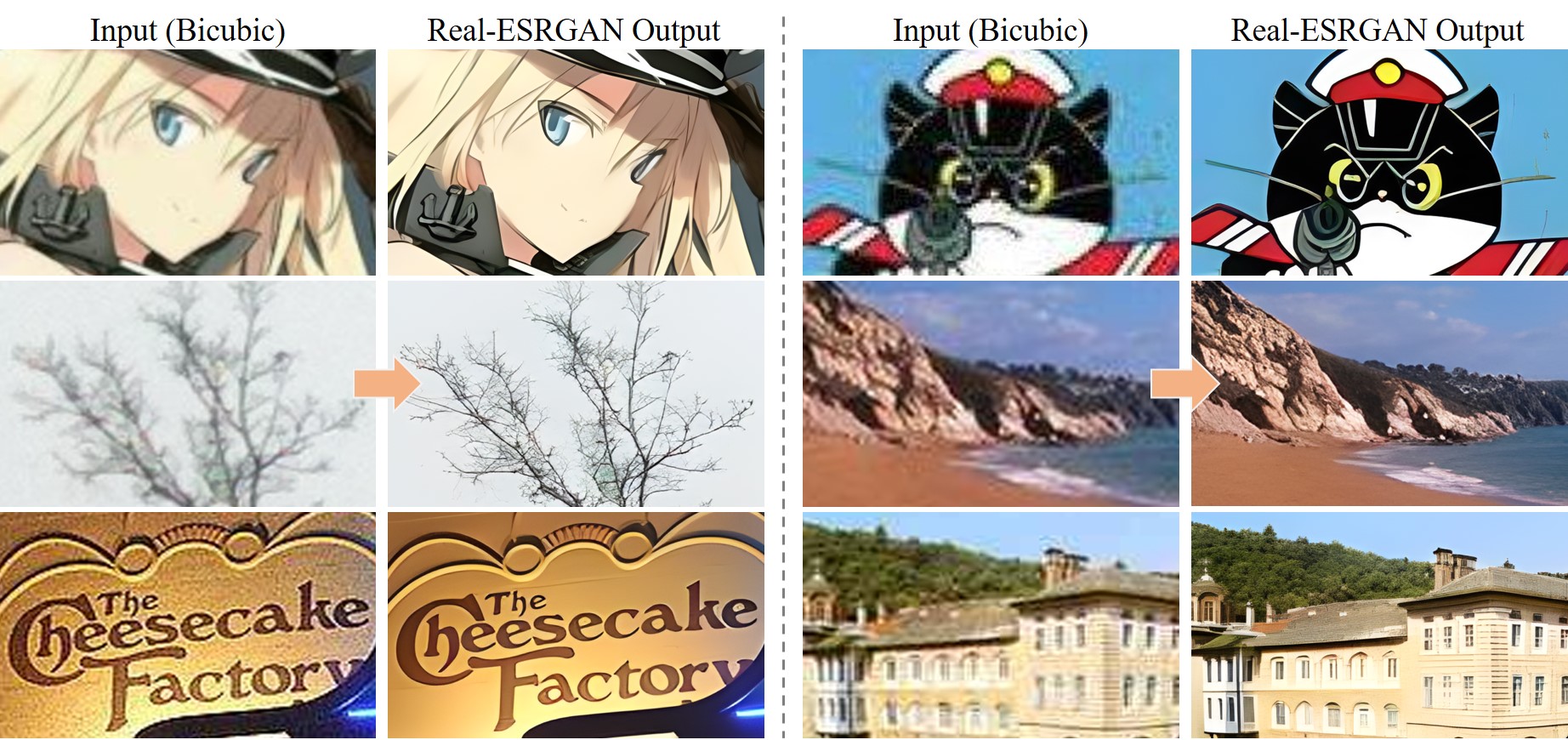
Official repo emphasizes restoration and super-resolution for real-world images.
Real-world image SR
Great for photos and real scenes.
Controllable scale
Use the scale parameter to control upscaling factor.
Face enhancement
Use face_enhance for portrait detail enhancement.
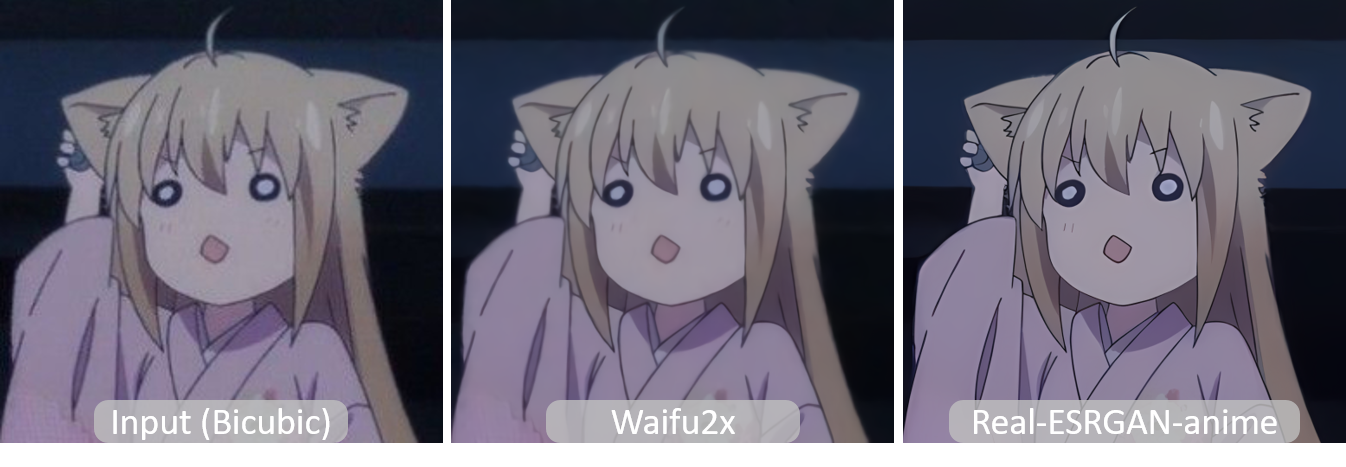
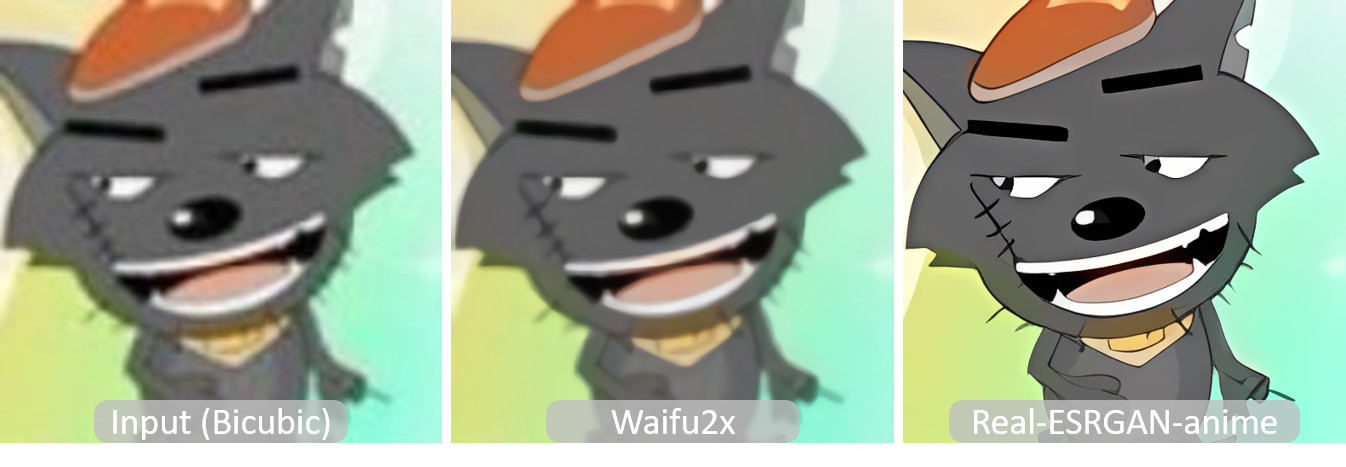
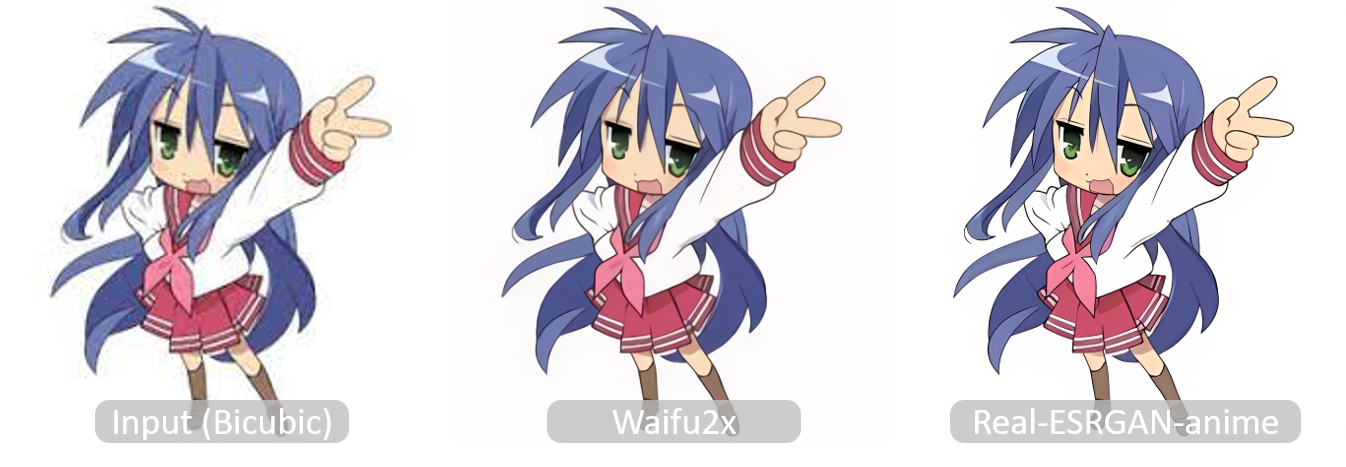
Illustration/anime support
Official examples show illustration and anime upscaling.
Upscaling scenarios (with examples)
Upload an image to upscale directly.
1) Old photo restoration
Template: input an old photo and upscale 4x.
2) Illustration/anime upscaling
Template: input an illustration, upscale while preserving lines.
3) Portrait enhancement
Template: input a portrait + face_enhance.
4) Ecommerce assets
Template: upscale product images for large displays.
Image upscaling parameter practices
Mainly control results with scale and face_enhance.
Practice 1: Choose a suitable scale
scale controls the upscaling factor (default 4).
- Higher scales are good for assets and print
- Try multiple scales to compare
Practice 2: Enable face_enhance for portraits
Better for facial details.
- Recommended for portraits/avatars
- Sharper details
When should you use HD upscaling?
Best for low-res restoration and high-resolution output.
Old photo and archive restoration
Increase resolution while restoring detail.
- Old photo restoration
- Upgrading historical assets
Illustration and comic upscaling
Sharper lines, ideal for poster output.
- Illustration/comic upscaling
- Secondary creation
Ecommerce and product images
Great for large displays and detail pages.
- Improve product clarity
- Fit large-screen display
Screenshots and assets
Quickly upscale low-res images.
- Marketing materials
- Tutorial screenshots
FAQ
Image upscaling FAQ
Common questions about image upscaling.
References and sources (for verification and deeper reading)
Features and examples reference public models and documentation.